MCP server · Browser automation
Yandex Lavka MCP server
by Dudude-bit
Let your AI search Yandex Lavka groceries, build a cart, and place an order after you confirm the total.
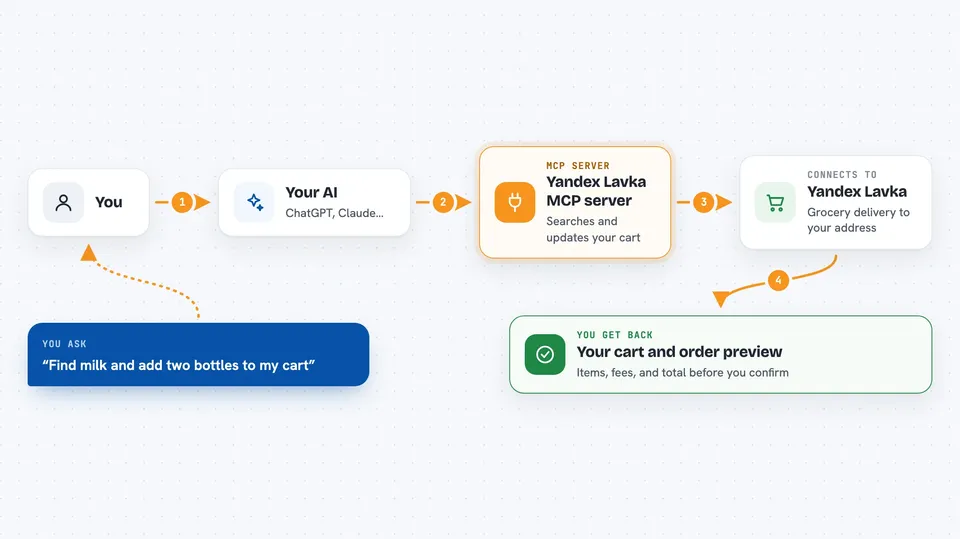
This is a helper that connects your AI assistant to Yandex Lavka, the Russian grocery delivery service. Once it is set up, you can ask your AI to find products, fill a cart, and place a real order, with a clear confirmation step before any money is charged. It is handy for anyone who shops on Lavka and wants to do it by chatting instead of tapping through the app.
What is an MCP server? The 30-second version
On its own, your AI can only chat. An MCP server is a small helper program that gives your AI a new skill or a connection to an app or service. This one connects your AI to your own Yandex Lavka account, so it can look up products and manage your cart when you ask. It uses your own session cookies, so it acts as you, for your own shopping.
What this MCP server does
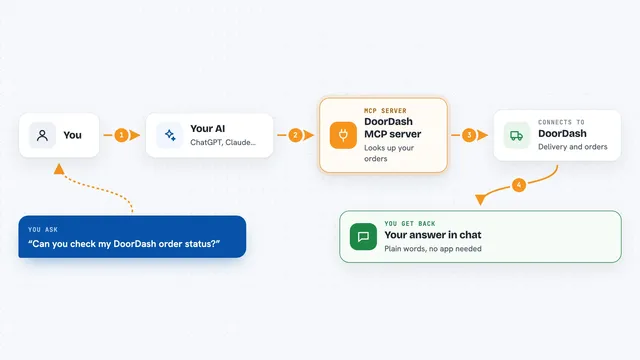
You ask your AI something like find milk and add two bottles to my cart. The AI sends that request to this helper. The helper talks to Yandex Lavka using your saved session, searches the catalog at your chosen address, and updates your cart. When you are ready to buy, it shows a full preview with items, prices, delivery fee, and total. Only after you confirm that exact total does it place the order and charge your card.
 Click to zoom
What you can do with it
- Search the Lavka catalog for products at your delivery address
- Add items to your cart or change quantities
- Switch delivery to a saved address by name
- Set delivery to any address in any city by text
- See a full checkout preview with items, fees, and total
- Place a real order after you confirm the exact total
- Check your active orders and their status
Try asking your AI
- “Find milk and add two bottles to my cart”
- “Show me my cart and the total”
- “Switch delivery to my address called Dacha”
- “Preview my order and tell me the final total”
- “Confirm the order for the total you just showed me”
What it gives back to you
You get back plain answers in the chat: lists of products with prices, your current cart with a running total, and a checkout preview that spells out items, subtotal, discount, delivery fee, ETA, payment method, and the final total. When you confirm, it tells you whether the order was placed and, if your bank asks for extra verification, gives you a link to finish paying. You can also ask for your active orders and see their status and ETA.
Before you start
What you need
- A Yandex Lavka account you can log into in a browser
- Your Yandex session cookies (the helper includes scripts to grab them)
- Python 3.12 or newer and the uv tool
- A delivery address set before the catalog works
Good to know
Confirming an order spends real money on your saved card, so always read the preview and only confirm the exact total you saw.
Install it with your AI
Add Yandex Lavka MCP server to your AI, no technical skills needed
You don't install anything by hand. You copy one prompt, paste it into an AI that can work on your computer, and it checks, installs and connects the server for you, asking you when it needs something.
Sign in to get the install prompt
Members get a ready-made prompt that lets the Claude desktop app check Yandex Lavka MCP server, install it and connect it for them, step by step. You don't need any technical skills: you copy, paste and answer a few questions. Your connected AI can also find and install any of the 4,361 MCP servers here for you.
Who it's for
People in Russia who already shop on Yandex Lavka and want to order groceries by chatting with their AI assistant.