MCP server · Security
Nemesis Shield MCP server
by eobi
Add security to your apps, APIs, and AI features from inside your editor, with one-line protection and fraud checks.
This is a helper that lets your AI add real security to the things you build, right from your editor. It works with Cursor, Claude Code, Claude Desktop, and other tools that support MCP. It is handy if you write code that serves requests or handles money, and you want protection without becoming a security expert.
What is an MCP server? The 30-second version
On its own, your AI can only chat. An MCP server is a small helper program that gives your AI a new skill or a connection to an app or service. This one connects your AI to Nemesis Shield, a security service, so your AI can look up protection snippets, scan a site, or set up protection for you when you ask. You do not need to know how it works inside; you just ask in plain words.
What this MCP server does
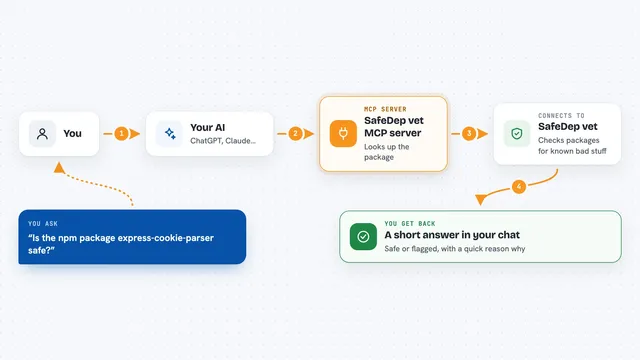
You ask your AI something like 'add security to my FastAPI service'. The AI uses this helper to get the exact one-line code snippet for your framework. The helper talks to the Nemesis Shield service to create an app, learn its normal behavior, and switch it to enforce mode. You get back the code to paste and a short report of what changed. For fraud, you can ask it to score a transaction or screen a name, and it returns a clear verdict like allow, review, or block.
What you can do with it
- Get the exact one-line security snippet for your framework
- Scan a website to see its stack and known vulnerabilities
- Create and manage protection for your apps
- Add a guard for LLM features against prompt injection
- Set up a fraud firewall for money flows
- Screen a person or business against sanctions lists
- Check if an email or domain appears in data breaches
Try asking your AI
- “Add security to my FastAPI service.”
- “This is a fintech transfer API, protect the money side too.”
- “Screen this new customer before we onboard them.”
- “Is api.example.com exposed?”
What it gives back to you
You get back clear answers in the chat: code snippets to paste, lists of apps with their protection status, scan results with detected stack and known issues, and fraud verdicts with reasons. For identity checks, you get a result like verified, clear, flagged, or pending, with the matched lists. Everything is written in plain words so you can act on it.
Before you start
What you need
- Node.js 18 or newer (for the npx command)
- An MCP client like Cursor, Claude Code, Claude Desktop, or Windsurf
- A free Nemesis Shield developer key (dak_...) for management tools; discovery tools work without one
Good to know
Some tools change settings or create resources on your account, so your client will ask for confirmation before those actions; review before you approve.
Install it with your AI
Add Nemesis Shield MCP server to your AI, no technical skills needed
You don't install anything by hand. You copy one prompt, paste it into an AI that can work on your computer, and it checks, installs and connects the server for you, asking you when it needs something.
Sign in to get the install prompt
Members get a ready-made prompt that lets the Claude desktop app check Nemesis Shield MCP server, install it and connect it for them, step by step. You don't need any technical skills: you copy, paste and answer a few questions. Your connected AI can also find and install any of the 4,960 MCP servers here for you.
Who it's for
Developers and technical founders who build web apps, APIs, or AI features and want to add security without deep expertise.