MCP server · Developer tools
Swagger Test Case MCP server
by eyaushev
Turn your API description into ready-made test cases your AI can write, sort, and export for you.

This is a helper that reads a Swagger or OpenAPI file, which is a document that describes how an API works, and turns it into test cases. If you test software, write QA documents, or just need to check an API, this saves you hours of typing. You point your AI at the file and ask for tests.
What is an MCP server? The 30-second version
On its own, your AI can only chat with you. An MCP server is a small helper program that gives your AI a new skill. This helper connects your AI to Swagger and OpenAPI files, which are the standard way teams describe their APIs. Once it is connected, your AI can read those files and produce test cases for you when you ask.
What this MCP server does
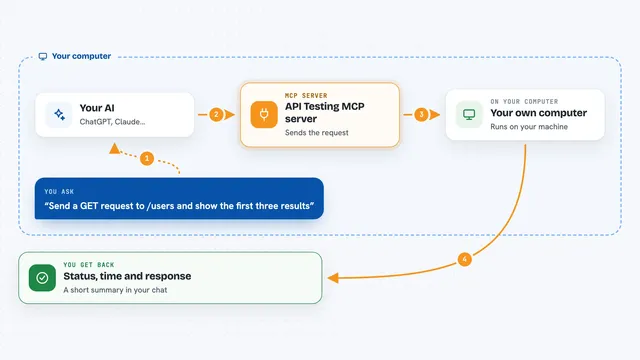
You give your AI a link or a file path to a Swagger or OpenAPI document. The AI passes that to this helper, which reads the document and figures out the endpoints, fields, and rules inside. The helper then writes test cases in categories like positive, negative, boundary, and security. It can save them as a file in formats like Markdown, CSV, Postman, or pytest. You get a ready list you can review or import into your test tool.
 Click to zoom
What you can do with it
- Load a Swagger or OpenAPI file from a web link, an internal address, or a file on your computer
- Generate test cases for one endpoint or many endpoints at once
- Filter tests by category, priority, or tag
- Export test cases as Markdown, JSON, CSV, Gherkin, Postman, k6, pytest, or TestRail
- Check the quality of your API document and get a score with suggestions
- Compare two versions of a document and spot breaking changes
- Create realistic fake data from the fields described in the document
Try asking your AI
- “Load the spec from https://petstore3.swagger.io/api/v3/openapi.json”
- “Generate test cases for POST /pet”
- “Export as Postman collection”
- “Generate test cases for all endpoints tagged users and export as testrail_csv”
What it gives back to you
You get a list of test cases, each with a title, priority, steps, input values, and the expected result. When you ask for an export, the helper saves a file in your working folder and tells you the file name. You can also get a quality score for your API document, a list of differences between two versions, or a set of fake data values. Everything shows up in your chat as text, and files land on your computer.
Before you start
What you need
- Node.js 18 or newer installed on your computer
- A Swagger or OpenAPI document, either a public link, an internal link, or a local file
- If the document is behind a login, an auth header or API key from your team
Good to know
The test cases are only as good as your API document, so business rules and cross-endpoint flows that are not written down will not appear unless you describe them to your AI yourself.
Install it with your AI
Add Swagger Test Case MCP server to your AI, no technical skills needed
You don't install anything by hand. You copy one prompt, paste it into an AI that can work on your computer, and it checks, installs and connects the server for you, asking you when it needs something.
Sign in to get the install prompt
Members get a ready-made prompt that lets the Claude desktop app check Swagger Test Case MCP server, install it and connect it for them, step by step. You don't need any technical skills: you copy, paste and answer a few questions. Your connected AI can also find and install any of the 4,609 MCP servers here for you.
Who it's for
QA engineers, testers, and developers who work with APIs and want to skip the boring part of writing test cases by hand.