MCP server · Research
Brewers Almanack MCP server
by gregario
Ask your AI about beer styles, hops, off-flavours, water and recipes, backed by real brewing data.

Brewers Almanack is a small helper you add to your AI assistant so it can answer brewing questions using real reference data instead of guessing. It covers beer styles, hops, malts, yeasts, water profiles, off-flavour diagnosis, recipe ideas and food pairings. It is handy for homebrewers and anyone curious about beer who wants solid answers instead of made-up ones.
What is an MCP server? The 30-second version
On its own, your AI can only chat from what it already knows, and it can sometimes make things up. An MCP server is a small helper program you connect once, and it gives your AI a new skill or a connection to a specific set of information. This one connects your AI to a brewing reference library, so when you ask about a beer style or a strange taste in your brew, the AI can look it up in real data. You just ask in normal words, and the helper quietly does the lookup behind the scenes.
What this MCP server does
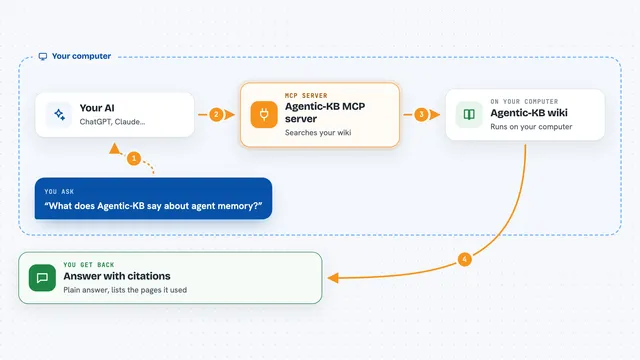
You ask your AI a brewing question in plain language, like what hops suit a Belgian Dubbel or why your beer tastes like butter. The AI passes that question to this helper, which searches its built-in brewing data. The helper finds the matching styles, ingredients, off-flavours, water profiles or pairings and sends them back. Your AI then explains the answer to you in the chat. No accounts, no internet calls, all the data sits inside the helper.
 Click to zoom
What you can do with it
- Look up any of 85 BJCP 2021 beer styles by name, category or characteristics
- Search hops, malts, yeasts and adjuncts by name, type or trait
- Diagnose an off-flavour from how your beer tastes or smells
- Find brewing water profiles by city or beer style
- Get a suggested recipe for a target beer style
- Match a beer style with a dish, or a dish with a beer
Try asking your AI
- “What hops work in a Belgian Dubbel?”
- “My beer tastes like butter, what went wrong?”
- “Suggest a recipe for a West Coast IPA”
- “What food pairs well with a stout?”
What it gives back to you
You get answers written in the chat, drawn from the built-in data. That can be a list of styles or ingredients with their key numbers, a diagnosis with likely causes and fixes, a full recipe with grain, hops, yeast and water, or a set of food pairings with short reasons. It is all text in the conversation, nothing to download.
Before you start
What you need
- Node.js installed on your computer (the free program that runs it)
- An AI app that supports MCP servers, like Claude Desktop or Cursor
Good to know
It only reads its own built-in brewing data, so it cannot change anything on your computer or online.
Install it with your AI
Add Brewers Almanack MCP server to your AI, no technical skills needed
You don't install anything by hand. You copy one prompt, paste it into an AI that can work on your computer, and it checks, installs and connects the server for you, asking you when it needs something.
Sign in to get the install prompt
Members get a ready-made prompt that lets the Claude desktop app check Brewers Almanack MCP server, install it and connect it for them, step by step. You don't need any technical skills: you copy, paste and answer a few questions. Your connected AI can also find and install any of the 4,361 MCP servers here for you.
Who it's for
Homebrewers, beer enthusiasts and anyone who wants reliable brewing answers from their AI instead of guesses.