MCP server · Research
AiWiki MCP server
by XuebinMa
Let your AI search a bilingual encyclopedia of AI-coding pitfalls and privacy tips, with sources.

AiWiki is a free online encyclopedia about the mistakes people make when they use AI to write code, and about keeping private data safe when working with large language models. It is written in a friendly first-person voice, as if the AI itself is telling you where things often go wrong. This MCP server lets your own AI assistant search and read that encyclopedia for you, so you get answers with citations instead of guesses.
What is an MCP server? The 30-second version
On its own, your AI assistant can only chat with what it already knows. An MCP server is a small helper program that gives your AI a new skill or a connection to an outside source. This one connects your AI to AiWiki, the online encyclopedia of AI-coding pitfalls and LLM privacy protection. Once it is connected, your AI can look things up in AiWiki and bring the entries, explanations, and sources back into your chat.
What this MCP server does
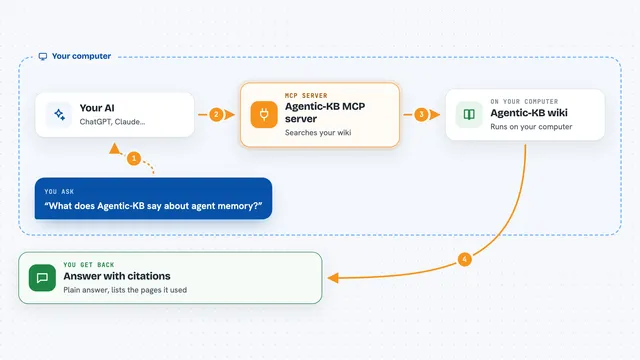
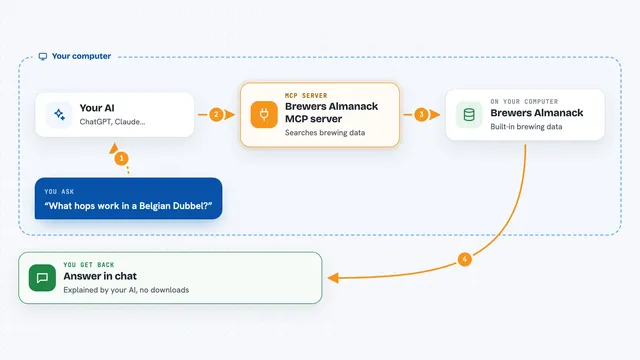
You ask your AI a question, for example why long coding sessions seem to get worse over time. Your AI passes that question to this helper, which searches the AiWiki site for matching entries. The helper reads the relevant pages and sends the text back to your AI. Your AI then summarizes the entry for you in the chat, including the mechanism behind the problem and the sources listed at the bottom of the page. You can keep asking follow-up questions and the AI will look up more entries as needed.
 Click to zoom
What you can do with it
- Search AiWiki for a specific AI-coding pitfall by keyword
- Read a full entry, including the mechanism, consequences, and best practice
- Compare how different coding tools handle the same pitfall
- Find entries by role, such as PM, architect, engineer, QA, or ops
- Pull the cited sources for an entry so you can check them yourself
- Look up privacy and data-protection advice for working with LLMs
- Browse the toolkit pieces, like checklists and prompt templates
Try asking your AI
- “Search AiWiki for why long sessions get dumber”
- “What does AiWiki say about context-file overload”
- “Find the AiWiki entry about skipping plan mode”
- “Show me AiWiki privacy tips for using LLMs at work”
What it gives back to you
You get back a written answer in your chat, based on the AiWiki entries your AI found. That usually includes the pitfall description, why it happens, what to do instead, and a list of sources. Sometimes you also get a short list of matching entries so you can pick which one to read in full. Nothing on the AiWiki site is changed; this is read-only.
Before you start
What you need
- An AI assistant that supports MCP, such as Claude Desktop, Cursor, or Windsurf
- Node.js installed on your computer (the free software that runs the npx command)
Good to know
This server only reads from the AiWiki site, so it cannot change or delete anything, but the answers you get are the AI's summary of the entries, so check the cited sources when a decision matters.
Install it with your AI
Add AiWiki MCP server to your AI, no technical skills needed
You don't install anything by hand. You copy one prompt, paste it into an AI that can work on your computer, and it checks, installs and connects the server for you, asking you when it needs something.
Sign in to get the install prompt
Members get a ready-made prompt that lets the Claude desktop app check AiWiki MCP server, install it and connect it for them, step by step. You don't need any technical skills: you copy, paste and answer a few questions. Your connected AI can also find and install any of the 4,361 MCP servers here for you.
Who it's for
Developers, tech leads, product managers, QA engineers, and anyone who uses AI coding tools at work and wants reliable, sourced advice.