MCP server · Research
AgentReady MCP server
Ask questions about any website and get answers with citations from its own pages.

AgentReady lets your AI read a whole website and answer questions about it. You give it a web address, it reads the pages, and then you can ask things like pricing or setup questions. It is handy when you need real answers from a site instead of guesses.
What is an MCP server? The 30-second version
On its own, your AI can only chat with what it already learned. An MCP server is a small helper program that gives your AI a new skill or a connection to an app or service. This one connects your AI to AgentReady, which reads and remembers websites. So when you ask about a site, your AI can look it up there and answer with real content instead of making something up.
What this MCP server does
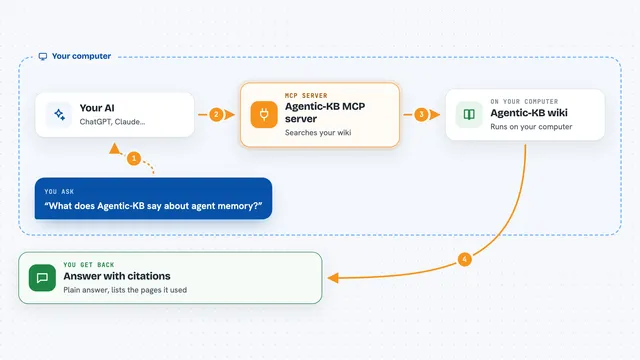
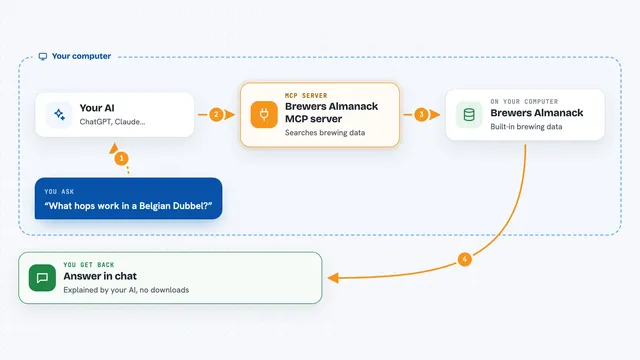
You ask your AI a question about a website. Your AI passes that question to this helper. The helper talks to AgentReady, which has already read the site or reads it now. AgentReady finds the right pages, pulls the relevant text, and sends back an answer with citations. Your AI shows you that answer in the chat, with the sources it used.
 Click to zoom
What you can do with it
- Ask questions about any public website and get cited answers
- Index a new website so it can be queried later
- Refresh a site to pick up new or changed pages
- See which websites are already indexed
- Get key facts from a site, like pricing tiers or feature lists
- Create a read-only plan with evidence and risks for a site task
- Rate an answer to send quality feedback
Try asking your AI
- “What are the fees for card payments on stripe.com?”
- “Summarize the pricing tiers on yourdocs.com”
- “What does the setup guide say about installing the plugin?”
- “Index docs.example.com so I can ask questions about it”
What it gives back to you
You get a written answer in the chat, based on the site's own pages. The answer includes citations so you can see where each part came from. For some requests you also get lists, key facts, or a short plan with evidence and risks. It does not change anything on the website.
Before you start
What you need
- An MCP-compatible AI client, like Claude Desktop, Cursor, or VS Code with Copilot
- Node.js installed if you use the npx command
- A public website address (no login required for the first site)
Good to know
It only works on public websites, so do not use it for pages behind a login, and it sends a small anonymous usage ping unless you turn that off.
Install it with your AI
Add AgentReady MCP server to your AI, no technical skills needed
You don't install anything by hand. You copy one prompt, paste it into an AI that can work on your computer, and it checks, installs and connects the server for you, asking you when it needs something.
Sign in to get the install prompt
Members get a ready-made prompt that lets the Claude desktop app check AgentReady MCP server, install it and connect it for them, step by step. You don't need any technical skills: you copy, paste and answer a few questions. Your connected AI can also find and install any of the 4,361 MCP servers here for you.
Who it's for
Anyone who needs quick, reliable answers from websites, like support teams, writers, researchers, and developers checking docs.