MCP server · Analytics
MLB Stats MCP server
by guillochon
Ask your AI for baseball standings, scores, player stats and game details, and get real answers.

This is a small helper that connects your AI assistant to official Major League Baseball data. Once it is set up, you can just ask questions about teams, players, games and stats in plain English. It is handy for baseball fans, fantasy players, or anyone who wants quick answers without digging through websites.
What is an MCP server? The 30-second version
On its own, your AI can only chat with you using what it already learned. An MCP server is a small helper program that gives your AI a new skill or a connection to an outside service. This one connects your AI to the public MLB data feed, so it can look up real standings, scores and player numbers for you. You ask a question, and the helper fetches the answer from MLB and hands it back.
What this MCP server does
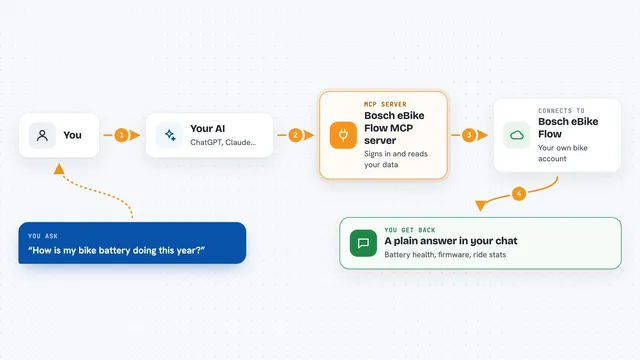
You type a question like "How are the Yankees doing?" or "Show me last night's scores." Your AI reads the question and decides which lookup it needs. It asks this helper, and the helper talks to the public MLB data service. The helper brings back the standings, schedule, stats or game details, and your AI turns them into a clear answer in the chat. You never have to visit a website or copy numbers yourself.
 Click to zoom
What you can do with it
- Check current MLB standings for any league or season
- Look up game schedules and final scores for a date or team
- Get a player's bio and traditional stats
- See advanced stats like WAR and wOBA
- View boxscores, inning-by-inning linescores and play-by-play
- Find team rosters and search for players or teams by name
- Look up draft picks and award winners
Try asking your AI
- “What are the current AL East standings?”
- “Show me the Dodgers schedule for next week.”
- “How is Shohei Ohtani hitting this season?”
- “Give me the boxscore from last night's Yankees game.”
What it gives back to you
You get answers written out in the chat, like a list of teams with their win-loss records, a table of a player's stats, or a summary of a game. For schedules and standings, it usually returns a neat list you can read at a glance. For deeper things like boxscores or play-by-play, it can give you the full breakdown. Everything shows up right in the conversation, no extra tabs needed.
Before you start
What you need
- Python 3.10 or newer (or Docker if you prefer that route)
- The uv tool, which the README shows how to install
- An MCP-compatible AI app like Claude Desktop
Good to know
It only reads public MLB data, so it will not change anything, but the numbers come from an outside service and can occasionally be missing or delayed.
Install it with your AI
Add MLB Stats MCP server to your AI, no technical skills needed
You don't install anything by hand. You copy one prompt, paste it into an AI that can work on your computer, and it checks, installs and connects the server for you, asking you when it needs something.
Sign in to get the install prompt
Members get a ready-made prompt that lets the Claude desktop app check MLB Stats MCP server, install it and connect it for them, step by step. You don't need any technical skills: you copy, paste and answer a few questions. Your connected AI can also find and install any of the 4,066 MCP servers here for you.
Who it's for
Baseball fans, fantasy league players, sports writers, and anyone who wants quick MLB answers without browsing stats sites.