MCP server · No-code
Mijia Control MCP server
Ask your AI to turn your Xiaomi lights, AC and heaters on or off, and run your home scenes.

This is a helper that connects your AI assistant to your Xiaomi and Mijia smart home devices. Once it is set up, you can just tell your AI things like turn off the living room light, and it will do it for you. It is handy if you already use Mijia devices and want to control them by chatting instead of opening an app.
What is an MCP server? The 30-second version
On its own, your AI can only chat. It cannot see or touch your smart home. An MCP server is a small helper program that gives your AI a new skill, and here that skill is talking to your Xiaomi and Mijia devices. So when you ask your AI to switch something on, it passes the request to this helper, which talks to your Mijia setup and does it.
What this MCP server does
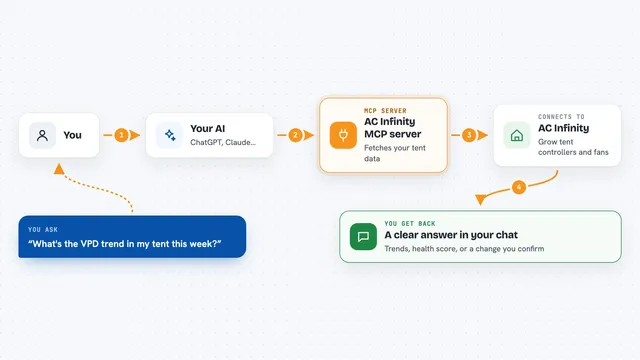
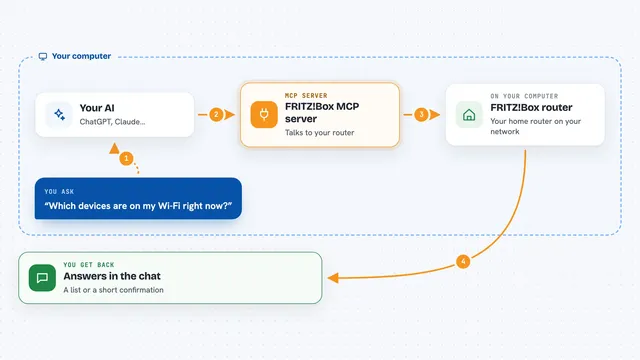
You ask your AI something like turn off the bedroom light. Your AI sends that request to this MCP server. The server then talks to your own Mijia Control app, which is the program that actually reaches your Xiaomi devices. Your device changes, and your AI tells you it is done. You can also ask it to list your devices, read a sensor value, or run a scene you already set up.
 Click to zoom
What you can do with it
- Turn lights, plugs and heaters on or off
- Read the current state of a device, like whether it is on
- List all your Mijia devices and which ones are online
- Run a scene you have set up, like a good night scene
- Check the latest reading from a Bluetooth temperature sensor
- See which homes and rooms you have set up in Mijia
Try asking your AI
- “Turn off the living room light”
- “Show me all my devices and which ones are online”
- “Run the good night scene”
- “What is the temperature in the bedroom right now”
What it gives back to you
You get short, plain answers in the chat. For example, a list of your devices with their names and whether they are online, or a single value like the current temperature. When you ask it to change something, it tells you the change was made. It does not show you long technical output, just the answer to what you asked.
Before you start
What you need
- A Xiaomi or Mijia account with your devices already added
- A computer or server where you run the Mijia Control app (this MCP server talks to it)
- Python 3.10 or newer
- A login token from your Mijia Control app, which you get by logging in once
Good to know
This helper can change your real devices, so a wrong request can turn things on or off in your home, and it needs your Mijia login token which you should keep private.
Install it with your AI
Add Mijia Control MCP server to your AI, no technical skills needed
You don't install anything by hand. You copy one prompt, paste it into an AI that can work on your computer, and it checks, installs and connects the server for you, asking you when it needs something.
Sign in to get the install prompt
Members get a ready-made prompt that lets the Claude desktop app check Mijia Control MCP server, install it and connect it for them, step by step. You don't need any technical skills: you copy, paste and answer a few questions. Your connected AI can also find and install any of the 4,361 MCP servers here for you.
Who it's for
People who already use Xiaomi and Mijia smart home devices and want to control them by chatting with an AI instead of opening an app.