MCP server · Health and learning
Garmin Connect MCP server
by happyc0der
Ask your AI about your Garmin workouts, sleep and heart rate, and let it log new sessions for you.
This is a small helper that connects your AI assistant to your own Garmin Connect account. Once it is set up, you can ask about your runs, swims, strength sessions, sleep and heart rate in plain words, and you can also have your AI add workouts and weigh-ins. It is handy if you already wear a Garmin watch and want to talk to your data instead of clicking around the app.
What is an MCP server? The 30-second version
On its own, your AI can only chat. An MCP server is a small helper program that gives your AI a new skill or a connection to an app or service. This one connects your AI to Garmin Connect, so it can look up your activities and health numbers, and do things there for you when you ask. You still type normal sentences; the helper does the technical part in the background.
What this MCP server does
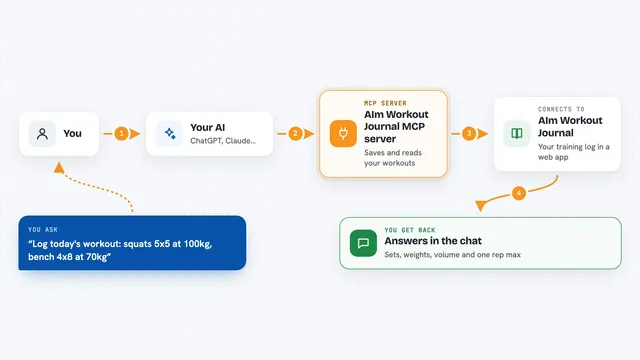
You ask your AI a question, like how your sleep was this week or how your pace held up in yesterday's swim. Your AI passes that request to this helper. The helper talks to Garmin Connect using the same connection the Garmin website uses, and pulls back the numbers or details you asked for. It can also go the other way: when you ask it to schedule a workout or log a finished strength session, it sends that to Garmin so it shows up in your account. Then your AI tells you the answer or confirms what it did, right in the chat.
What you can do with it
- Look up your activities by type and date
- Show per-set detail for a strength session, including exercise, reps and weight
- Summarise a day of health data like steps, sleep, heart rate and stress
- Show trends over up to two years for twelve health metrics
- Create and schedule strength, run, ride or swim workouts
- Log a completed strength session with every set
- Record a weigh-in or a full body composition reading
Try asking your AI
- “How did I sleep this week?”
- “Did my pace hold up in yesterday's swim?”
- “How has my resting heart rate moved since summer?”
- “Show my last strength session's sets, and change sets 3 to 5 to dumbbell rows”
What it gives back to you
You get back short, readable answers in the chat: lists of activities, per-set breakdowns, a day's health numbers, or a trend summary with averages and change over time. When you ask it to write something, it confirms what it created or changed. The answers are shaped the way a person would read them, not as raw data dumps.
Before you start
What you need
- A Garmin Connect account
- uv installed on your computer (a small tool that runs the helper)
- Python 3.12 or newer
- A one-time login at a terminal, where you type your Garmin email, password and any multi-factor code
Good to know
It can change or delete things in your Garmin account, and if your Garmin is linked to Strava or another app, a logged activity may be posted there too, where deleting it from Garmin will not remove it.
Install it with your AI
Add Garmin Connect MCP server to your AI, no technical skills needed
You don't install anything by hand. You copy one prompt, paste it into an AI that can work on your computer, and it checks, installs and connects the server for you, asking you when it needs something.
Sign in to get the install prompt
Members get a ready-made prompt that lets the Claude desktop app check Garmin Connect MCP server, install it and connect it for them, step by step. You don't need any technical skills: you copy, paste and answer a few questions. Your connected AI can also find and install any of the 4,609 MCP servers here for you.
Who it's for
Garmin watch owners who want to ask questions about their training and health in plain words, and anyone who likes to keep a training log without clicking through menus.