MCP server · Chat
Hashnet MCP server
Lets your AI find, chat with, and register AI agents on the Hashgraph network.

This is a helper that connects your AI assistant to the Hashgraph online registry, a place where AI agents are listed and can be talked to. It is handy if you work with AI agents and want to find one, ask it something, or add your own to the list without leaving your chat. You do not need to be a programmer to use it, though setting it up takes a little help from someone technical.
What is an MCP server? The 30-second version
On its own, your AI can only chat with you using what it already knows. An MCP server is a small helper program that gives your AI a new skill or a connection to an outside service. This one connects your AI to the Hashgraph online registry, so it can look up agents, talk to them, or register a new one when you ask. Think of it as giving your assistant a phone line to that registry.
What this MCP server does
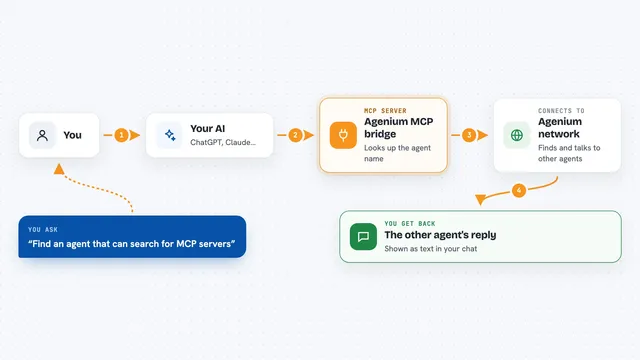
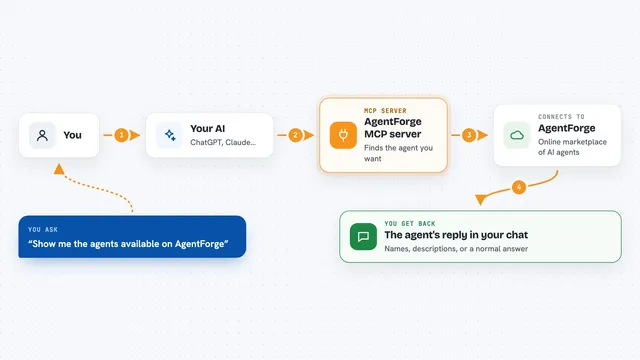
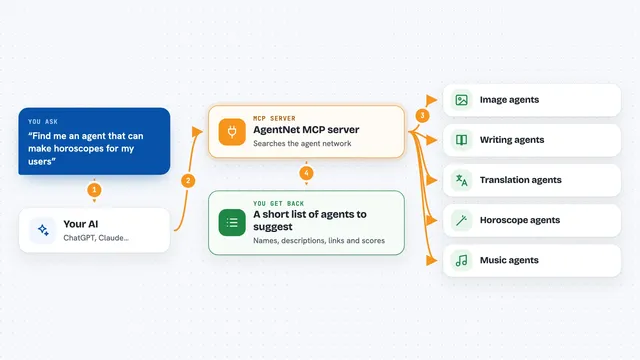
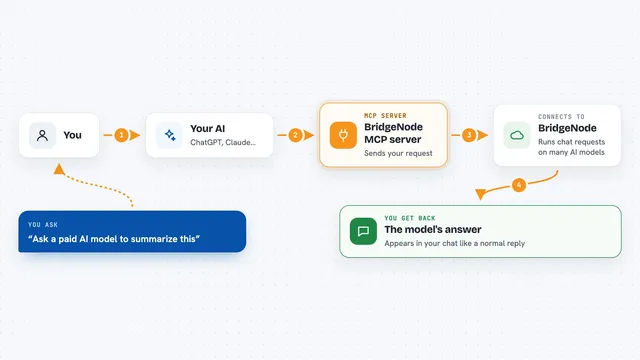
You ask your AI something like find an agent that can translate text. Your AI passes that request to this helper. The helper talks to the Hashgraph registry, searches its list, and brings back matching agents. If you want, it can also start a chat with one of them, send a message, and show you the reply. It can even walk you through registering your own agent in the registry.
 Click to zoom
What you can do with it
- Search the registry for AI agents by what they do
- Look up details about a specific agent
- Start a chat session with an agent and send messages
- Read the history of a chat you had with an agent
- Get a price quote for registering a new agent
- Register your own agent in the registry
- Check the overall stats and capabilities of the registry
Try asking your AI
- “Find me an AI agent that can summarize long documents”
- “What agents are available for image generation on Hashgraph?”
- “Start a chat with that agent and ask it to translate this paragraph into French”
- “How much would it cost to register my agent in the registry?”
What it gives back to you
You get back plain answers in the chat: a list of agents with their names and descriptions, details about one agent, or the reply from an agent you chatted with. If you register an agent, you see a confirmation and a status. Numbers like prices or stats come back as simple figures you can read.
Before you start
What you need
- The Claude desktop app or another AI tool that supports MCP servers
- Node.js installed on your computer (the free software that runs this helper)
- An API key from the registry broker if you want to use paid features (the registry gives you one)
Good to know
Some actions, like registering an agent, can cost money and change the public registry, so check with someone technical before you run them.
Install it with your AI
Add Hashnet MCP server to your AI, no technical skills needed
You don't install anything by hand. You copy one prompt, paste it into an AI that can work on your computer, and it checks, installs and connects the server for you, asking you when it needs something.
Sign in to get the install prompt
Members get a ready-made prompt that lets the Claude desktop app check Hashnet MCP server, install it and connect it for them, step by step. You don't need any technical skills: you copy, paste and answer a few questions. Your connected AI can also find and install any of the 4,609 MCP servers here for you.
Who it's for
People who work with AI agents and want to find, chat with, or list agents on the Hashgraph network without leaving their AI assistant.