MCP server · Design tools
SolidWorks MCP server
by hjbaard
Lets your AI build and check real parametric parts and assemblies inside your own running SolidWorks.
This is a helper that connects your AI assistant to SolidWorks on your own computer. You ask for a part or an assembly in plain words, and the AI builds it in the SolidWorks window that is already open. It is handy for designers and engineers who want to skip the repetitive first steps of modelling, or who want a second pair of hands for simple parts.
What is an MCP server? The 30-second version
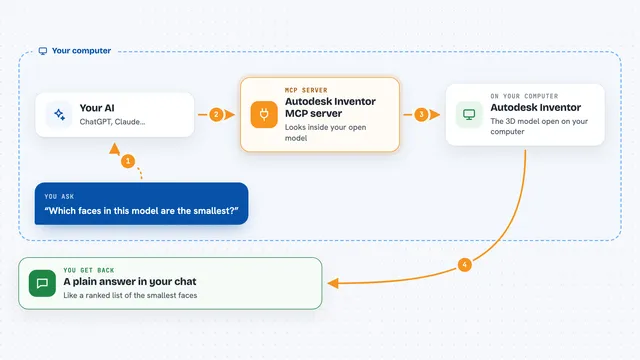
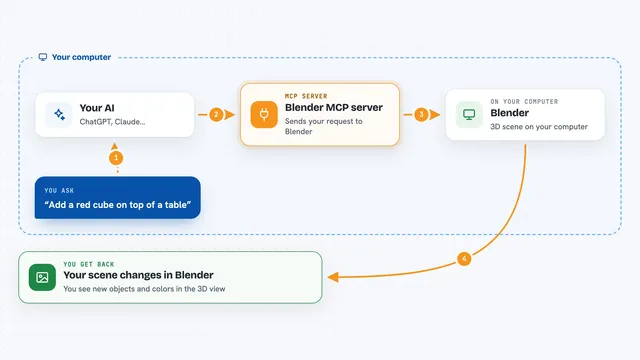
On its own your AI can only chat; it cannot open SolidWorks and draw anything. An MCP server is a small helper program that gives your AI a new skill, in this case the skill to talk to SolidWorks. When you ask for a part, the AI sends your request to this helper, and the helper drives SolidWorks on your machine. It only works while SolidWorks is open, because it attaches to the copy you already have running.
What this MCP server does
You describe a part or assembly to your AI, for example a plate with holes or a small bracket. The AI turns that into a series of steps and calls this helper for each one. The helper reaches into your open SolidWorks and creates the sketch, the extrude, the holes, or whatever is needed. After each step it measures the result, volume, mass and bounding box, and hands those numbers back to the AI. The AI compares them with what you asked for and can correct itself before showing you the part.
What you can do with it
- Create parametric parts such as plates, brackets, shafts, pipes, cones and lofts
- Add holes, counterbores, slots, ribs, fillets, chamfers, shells and patterns
- Build assemblies with mates and check for interference
- Model real ISO metric threads and use the Hole Wizard
- Engrave or emboss text on a face
- Export the result as STEP, STL or 3MF and take screenshots
- Work on existing parts: list, delete, suppress or reorder features, and import STEP files
Try asking your AI
- “Design a 100 x 80 x 8 mm mounting plate with a 16 mm centre bore, four counterbored M5 holes 12 mm from the corners and R5 corners. Check the volume against your own calculation, then export a fine STL.”
- “Make an M10 bolt 40 mm long with a real thread and send me the measured mass.”
- “Build a swept pipe 200 mm long, 20 mm diameter, with two 90 degree bends and R30 corners, then check the volume.”
- “Create a shelled vase by revolving a profile, then export it as 3MF for printing.”
What it gives back to you
After each modelling step you get the part in your SolidWorks window, plus numbers in the chat: volume, mass and bounding box measured from the actual geometry. The AI also tells you the names of the dimensions it used, like width at Sketch1, so the part stays editable. If a step cannot be done, you get a clear error message instead of broken geometry. At the end you can ask for a summary, a drawing, an export file or a screenshot.
Before you start
What you need
- A computer running Windows with SolidWorks installed, licensed and open
- A Y-up part template, SolidWorks' standard (versions 2025 and newer can also use Z-up, and the tools warn if the part is Z-up)
- The uv tool from Astral installed, so the server can run with uvx
- An MCP client such as Claude Code or the Claude desktop app
Good to know
It drives SolidWorks directly on your machine, so any step that changes or deletes geometry acts on the part that is open at that moment, and an early 0.x release may still change how some tools behave.
Install it with your AI
Add SolidWorks MCP server to your AI, no technical skills needed
You don't install anything by hand. You copy one prompt, paste it into an AI that can work on your computer, and it checks, installs and connects the server for you, asking you when it needs something.
Sign in to get the install prompt
Members get a ready-made prompt that lets the Claude desktop app check SolidWorks MCP server, install it and connect it for them, step by step. You don't need any technical skills: you copy, paste and answer a few questions. Your connected AI can also find and install any of the 4,611 MCP servers here for you.
Who it's for
Product designers, mechanical engineers, makers and anyone who already uses SolidWorks and wants an AI to handle the first drafts and simple parts.