MCP server · Design tools · official
PicoBerry MCP server
by UModeler · official
Let your AI make 3D models and images from a text prompt or a picture, then tweak and export them.

PicoBerry is a service that turns text or images into 3D models, pictures, and animations. This MCP server connects that service to your AI assistant, so you can just ask for a model in plain words and get a file back. It is handy if you make games, 3D art, or prototypes and want to skip the manual clicking.
What is an MCP server? The 30-second version
On its own, your AI can only chat with you. An MCP server is a small helper program that gives your AI a new skill or a connection to another service. This one connects your AI to PicoBerry, so when you ask for a 3D model or an image, the AI can actually send that request to PicoBerry and bring the result back to you. You do not need to write any code or open a separate website.
What this MCP server does
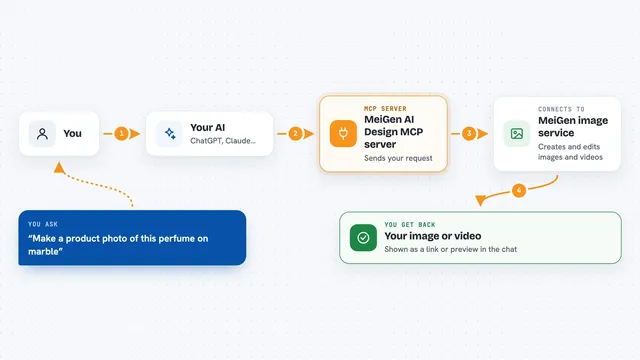
You type a request in your AI chat, like asking for a low-poly treasure chest. The AI passes that request to this helper, which sends it to PicoBerry's servers. PicoBerry picks an engine, generates the model or image, and reports back when it is done. The helper then hands you the finished file, a link to it, or details about it, right there in the chat.
 Click to zoom
What you can do with it
- Turn a text description into a 3D model
- Turn one or more reference images into a 3D model
- Generate images from text or a reference picture
- Simplify an existing 3D model to a lower polygon count
- Re-texture an existing 3D model with new materials
- Auto-rig and animate a 3D character
- Export a finished model as GLB, FBX, or OBJ
Try asking your AI
- “Make a low-poly treasure chest and export it as a Unity FBX”
- “Turn this photo of a chair into a 3D model”
- “Generate a cartoon-style image of a robot holding a lantern”
- “Simplify my last model down to 3000 triangles and re-texture it”
What it gives back to you
You get back a short description of the new asset, its status, and links to the result files. For 3D models that means a GLB, and you can ask for an FBX or OBJ export too. For images you get a picture link. The links are short-lived, so download or save them soon after they appear.
Before you start
What you need
- A PicoBerry account with a completed purchase (a subscription or a one-off credit pack)
- A PicoBerry API key from your dashboard (a kind of password for apps; the site shows it once)
- The Claude desktop app or another AI tool that supports MCP servers
- Node.js installed on your computer (the server runs with npx)
Good to know
Generation spends real PicoBerry credits, so check the engine cost with list_models before you ask for something big, and grab the result links quickly because they expire.
Install it with your AI
Add PicoBerry MCP server to your AI, no technical skills needed
You don't install anything by hand. You copy one prompt, paste it into an AI that can work on your computer, and it checks, installs and connects the server for you, asking you when it needs something.
Sign in to get the install prompt
Members get a ready-made prompt that lets the Claude desktop app check PicoBerry MCP server, install it and connect it for them, step by step. You don't need any technical skills: you copy, paste and answer a few questions. Your connected AI can also find and install any of the 4,609 MCP servers here for you.
Who it's for
Game developers, 3D artists, and anyone prototyping game assets or 3D content who wants to generate and tweak models by chatting.