MCP server · Design tools
AnkusDrive MCP server
by gchen19
Lets your AI design 3D mechanical parts and run engineering simulations in FreeCAD for you.

AnkusDrive is a helper that connects your AI to FreeCAD, a free program for designing 3D mechanical parts. It lets your AI build shapes, drawings and simulations for you instead of you clicking around inside FreeCAD yourself. It is handy for engineers, makers and students who want to design parts by describing them in words.
What is an MCP server? The 30-second version
On its own, your AI can only chat. An MCP server is a small helper program that gives your AI a new skill or a connection to another app. This one connects your AI to FreeCAD on your own computer, so when you ask for a part or a simulation, the AI can actually create it there and report back. Nothing leaves your machine unless you set it up that way.
What this MCP server does
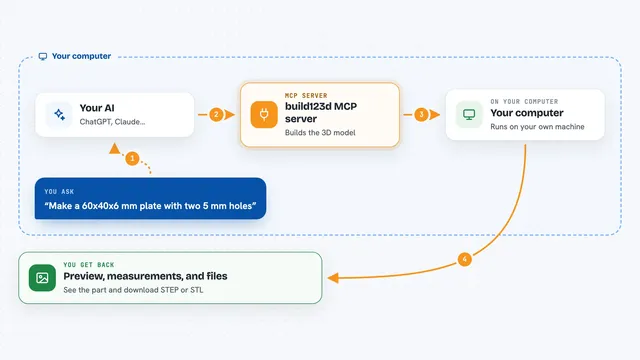
You describe a part or a test in plain words to your AI, for example a bracket with certain sizes. The AI uses this helper to send those instructions to FreeCAD on your computer. FreeCAD builds the 3D model, makes the drawing, or runs the simulation. The helper then reads the results back and shows them to you in the chat, like stress numbers or a picture of the part.
 Click to zoom
What you can do with it
- Create 3D parts like boxes, gears and brackets from your description
- Combine shapes together or cut one shape out of another
- Make technical drawings of your part
- Run stress and strength tests on a part
- Run heat, airflow and other physics simulations
- Keep track of part numbers, versions and changes
- Build a product from several parts made in parallel
Try asking your AI
- “Make a box 10 cm wide, 20 cm deep and 5 cm tall and save it as a FreeCAD file”
- “Add a gear with 20 teeth and show me what it looks like”
- “Run a stress test on this bracket and tell me the highest stress”
- “Create a technical drawing of this part and export it”
What it gives back to you
You get answers in the chat, like a description of the part that was made, the sizes it used, or the numbers from a simulation such as stress or temperature. It can also save files on your computer, for example a FreeCAD file or a drawing. When something changes, it tells you what it changed. If a step fails, it explains what went wrong.
Before you start
What you need
- FreeCAD 1.1.x installed on your computer (free, from freecad.org)
- Python 3.10 to 3.14
- An MCP host like Claude Desktop or Claude Code
- For some advanced simulations on a Mac or Windows: Docker and the AnkusDrive solver container image
Good to know
It creates and changes files on your computer and can run long simulations, so check the file names and settings before you let it run.
Install it with your AI
Add AnkusDrive MCP server to your AI, no technical skills needed
You don't install anything by hand. You copy one prompt, paste it into an AI that can work on your computer, and it checks, installs and connects the server for you, asking you when it needs something.
Sign in to get the install prompt
Members get a ready-made prompt that lets the Claude desktop app check AnkusDrive MCP server, install it and connect it for them, step by step. You don't need any technical skills: you copy, paste and answer a few questions. Your connected AI can also find and install any of the 4,361 MCP servers here for you.
Who it's for
Mechanical engineers, product designers, makers and engineering students who want to design parts and run simulations by talking to their AI.