MCP server · Developer tools
Vercel AI SDK Docs MCP server
by IvanAmador
Ask your AI questions about the Vercel AI SDK and get answers pulled from the official docs.

This is a small helper that connects your AI assistant to the official Vercel AI SDK documentation. Once it is set up, you can ask plain questions about the AI SDK and get answers based on the real docs instead of guesses. It is handy for developers and anyone building with the Vercel AI SDK who wants quick, grounded answers.
What is an MCP server? The 30-second version
On its own, your AI can only chat with what it already knows. An MCP server is a small helper program that gives your AI a new skill or a connection to a service. This one connects your AI to the Vercel AI SDK documentation, so it can search those docs and pull out the parts that answer your question. You ask in normal words, and the helper does the looking up for you.
What this MCP server does
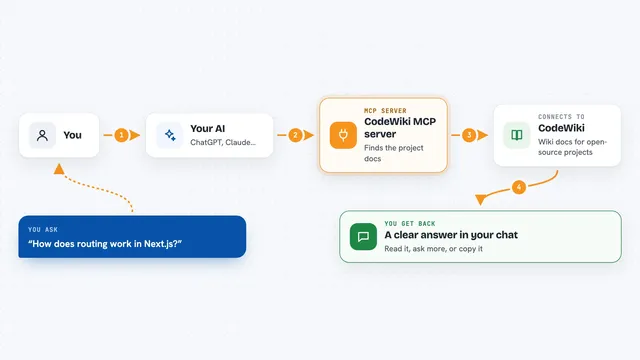
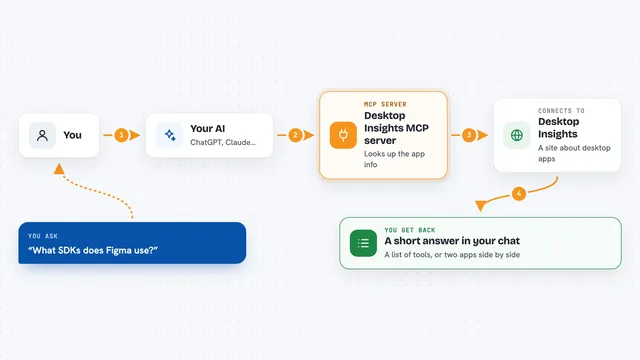
You type a question about the Vercel AI SDK, like how a certain function works. Your AI passes that question to this helper. The helper searches an index of the official documentation, and for the agent tool it also uses a Google Gemini model to read the matching pages and write a clear answer. You get the answer back in your chat, along with the relevant documentation it found. It can also remember your earlier questions in the same session, so follow-ups stay in context.
 Click to zoom
What you can do with it
- Ask questions about the Vercel AI SDK in plain English
- Search the documentation index directly for matching passages
- Get AI-written answers that combine several doc pages
- Keep context across several questions in one session
- Clear the conversation memory for a session when you want a fresh start
- Rebuild the documentation index to pick up the latest docs
Try asking your AI
- “How do I use the streamText function?”
- “What is the difference between generateText and streamText?”
- “Show me an example of using tools with the AI SDK”
- “How do I handle errors when streaming responses?”
What it gives back to you
You get answers in your chat, written in normal sentences and based on the official docs. The direct search tool gives you a list of matching passages from the documentation. The agent tool gives you a fuller written answer that pulls together what it found. If it changes anything, it is only the saved conversation memory for your session.
Before you start
What you need
- Node.js 18 or newer and npm installed on your computer
- A Google Gemini API key from Google AI Studio (a kind of password for apps; the site gives you one for free)
- An MCP-compatible client such as Claude Desktop or Cursor
- The project downloaded and built on your machine
Good to know
The agent tool sends your questions to Google's Gemini service using your API key, so keep that key private and watch for rate limits.
Install it with your AI
Add Vercel AI SDK Docs MCP server to your AI, no technical skills needed
You don't install anything by hand. You copy one prompt, paste it into an AI that can work on your computer, and it checks, installs and connects the server for you, asking you when it needs something.
Sign in to get the install prompt
Members get a ready-made prompt that lets the Claude desktop app check Vercel AI SDK Docs MCP server, install it and connect it for them, step by step. You don't need any technical skills: you copy, paste and answer a few questions. Your connected AI can also find and install any of the 4,361 MCP servers here for you.
Who it's for
Developers and technical writers who work with the Vercel AI SDK and want fast, doc-based answers inside their AI assistant.