MCP server · Developer tools
UniFi API docs MCP server
by KallistoX
Lets your AI look up UniFi API endpoints, fields and code examples while you build.

This is a small helper that gives your AI assistant the official UniFi API documentation to read from. You can ask it how an endpoint works, what fields it accepts, or for a code sample, and it answers from the real docs. It is handy if you write code that talks to UniFi Network, Protect, Site Manager, InnerSpace, Mobility or Carrier Fabric.
What is an MCP server? The 30-second version
On its own, your AI can only chat with you using what it already knows. An MCP server is a small helper program that gives your AI a new skill or a connection to something useful. This helper connects your AI to the published UniFi API documentation, so when you ask a question about a UniFi endpoint, the AI can look it up in the docs and answer with real details instead of guessing. It only reads documentation. It never touches your UniFi controller or your network.
What this MCP server does
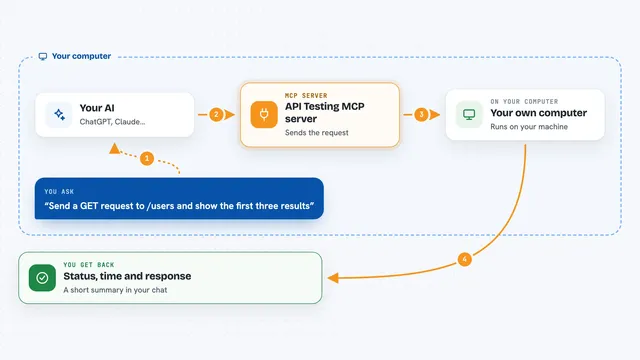
You ask your AI something like how to create a network with the UniFi API. The AI uses this helper to search the UniFi docs for the right endpoint. The helper finds the endpoint page and hands back the address, the method, and the fields it expects. If you want more detail, the AI can drill into one specific field and get just that part. It can also fetch a ready-made code example in curl, Go, Node.js, Python or Ansible, and an example of what the response looks like.
 Click to zoom
What you can do with it
- Search UniFi API endpoints by name, path or method
- See the full field list for a single endpoint
- Drill into one field and see only that part of the schema
- Get code examples in curl, Go, Node.js, Python or Ansible
- Look at an example response for an endpoint
- Find which endpoints use a particular field name
- Read UniFi guide pages on filtering, errors and getting started
What it gives back to you
You get answers in the chat, built from the real UniFi docs. That can be a short list of matching endpoints, the field list for one endpoint, one small field subtree, a code sample, or an example response. The AI usually turns it into a short explanation or a snippet you can copy. Nothing is changed anywhere. It is all read-only information.
Before you start
What you need
- Python installed on your computer
- The pip package mcp-unifi-applications installed
- An MCP client such as Claude Desktop or Claude Code
Good to know
It only reads documentation and never connects to your UniFi controller, so it cannot change anything on your network.
Install it with your AI
Add UniFi API docs MCP server to your AI, no technical skills needed
You don't install anything by hand. You copy one prompt, paste it into an AI that can work on your computer, and it checks, installs and connects the server for you, asking you when it needs something.
Sign in to get the install prompt
Members get a ready-made prompt that lets the Claude desktop app check UniFi API docs MCP server, install it and connect it for them, step by step. You don't need any technical skills: you copy, paste and answer a few questions. Your connected AI can also find and install any of the 4,609 MCP servers here for you.
Who it's for
Developers and technical staff who build or script against the UniFi APIs and want their AI to answer from the official docs.