MCP server · Analytics
Seshat BI MCP server
by Kemetra
Lets your AI read the readiness state of your BI pipeline and tell you what is blocked and what comes next.
Seshat BI is a helper for teams who build Power BI reports from retail data. It keeps track of how far each table has come, from the raw source all the way to a published dashboard. This MCP server lets your AI read that state and explain it to you, without changing anything.
What is an MCP server? The 30-second version
On its own, your AI can only chat. It does not know anything about your BI project unless you tell it. An MCP server is a small helper program that gives your AI a new skill or a connection to a service. This one connects your AI to Seshat BI, so it can look up the readiness state of your tables and report back to you. It is read-only, which means it can look but never touch.
What this MCP server does
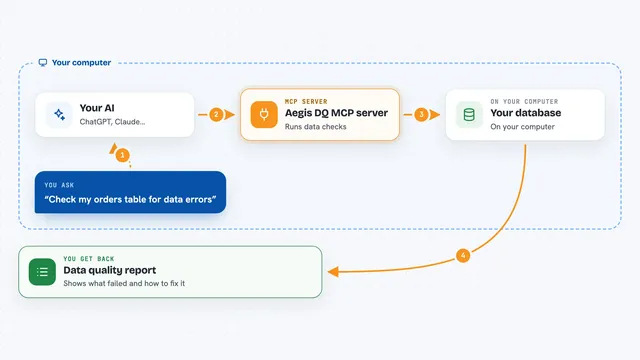
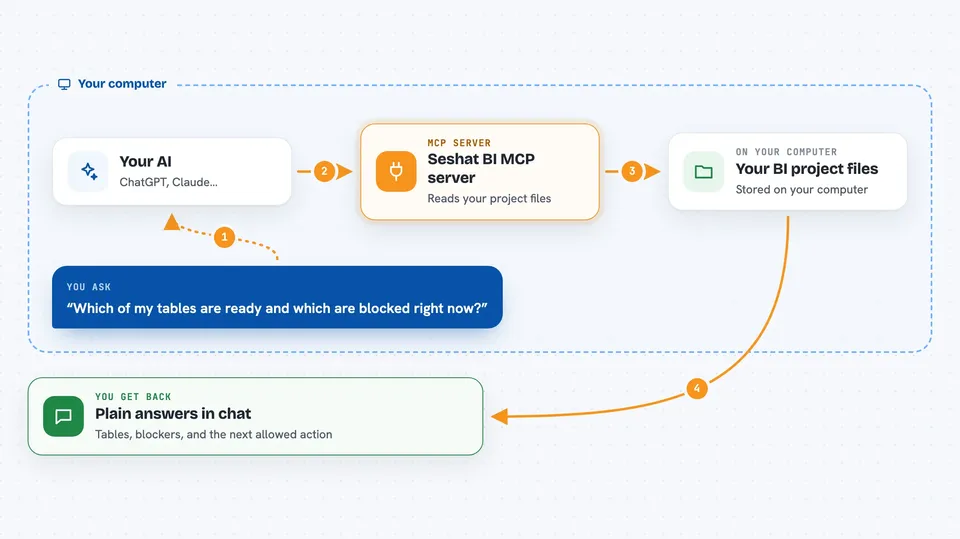
You ask your AI a question about your BI project, for example which tables are ready and which are blocked. Your AI uses this helper to read the Seshat BI state that is stored in your project files. The helper looks at the committed evidence, the gates, and the approvals. Your AI then tells you the answer in plain words, including the one next action that is allowed.
 Click to zoom
What you can do with it
- Check the readiness stage of every table in your BI project
- See exactly what is blocking the next stage for a table
- Find out the single next action that is allowed
- Read the static check results for SQL, TMDL, and PBIR files
- Review which human approvals are recorded and which are missing
- Ask about metric contracts and whether measures follow them
Try asking your AI
- “Which of my tables are ready and which are blocked right now?”
- “What is stopping the gold stage from passing?”
- “What is the one next action I am allowed to take?”
- “Show me the static check results for the silver layer.”
What it gives back to you
You get answers in the chat, in plain language. Your AI can list each table with its stage and its blocking reasons. It can name the single next allowed action. It can also show you the evidence behind a stage, such as a source profile or a cleared mapping.
Before you start
What you need
- A Seshat BI workspace, created with the seshat command
- The seshat-bi package installed with the mcp extra
- An MCP client such as Claude Code, Codex, or another local MCP client
Good to know
This server is read-only by design, so it will not change or delete anything, but it can read your project files and any evidence stored in them.
Install it with your AI
Add Seshat BI MCP server to your AI, no technical skills needed
You don't install anything by hand. You copy one prompt, paste it into an AI that can work on your computer, and it checks, installs and connects the server for you, asking you when it needs something.
Sign in to get the install prompt
Members get a ready-made prompt that lets the Claude desktop app check Seshat BI MCP server, install it and connect it for them, step by step. You don't need any technical skills: you copy, paste and answer a few questions. Your connected AI can also find and install any of the 4,361 MCP servers here for you.
Who it's for
BI developers and data analysts who build Power BI reports from retail data and want their AI to explain what is ready and what is blocked.