MCP server · Analytics · official
dbt MCP server
by dbt-labs · official
Lets your AI look up dbt models, metrics, and docs, and run dbt commands for you.

This is a helper made by dbt Labs that connects your AI assistant to dbt, the tool many data teams use to build and organise their data. Once it is set up, you can ask your AI questions about your dbt project in plain English instead of clicking around. It is handy for anyone who works with data models, reports, or dashboards and uses an AI assistant like Claude or Cursor.
What is an MCP server? The 30-second version
On its own, your AI can only chat with you. An MCP server is a small helper program that gives your AI a new skill or a connection to another app, and here it connects your AI to dbt. So when you ask something like which models feed a certain dashboard, the AI sends that question to this helper, the helper asks dbt, and the AI explains the answer back to you.
What this MCP server does
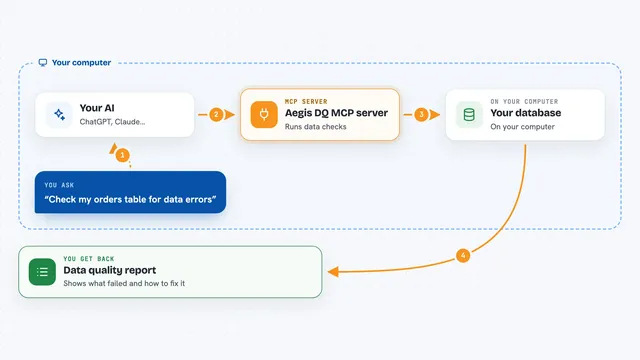
You ask your AI a question about your dbt project, like what a model does or which metrics exist. The AI passes that request to this helper, which talks to dbt, either your local project or your dbt account in the cloud. The helper brings back the answer, such as a list of models, a metric value, or a piece of documentation. If you ask it to, it can also run dbt commands like building or testing your models. Then the AI shows you the result in the chat in normal words.
 Click to zoom
What you can do with it
- List the metrics and models defined in your dbt project
- Look up what a specific model, source, or exposure does
- Run metric queries with filters and groupings
- Trace lineage to see what feeds a model or dashboard
- Check the health of a model, including test results and source freshness
- Run dbt commands like build, test, or compile
- Search the official dbt documentation and pull up a page
Try asking your AI
- “What metrics do we have in our dbt project?”
- “Show me the lineage for the orders model, two levels up.”
- “Run the tests for the customers model and tell me what failed.”
- “Find the dbt docs page about incremental models and summarise it.”
What it gives back to you
You get answers in the chat: lists of models or metrics, short descriptions, lineage diagrams in text, test results, or numbers from a metric query. If you ask it to run a dbt command, it tells you what happened and any errors. For documentation searches, it gives you page titles, links, and a summary.
Before you start
What you need
- A dbt project (dbt Core, dbt Fusion, or dbt Platform)
- For cloud features, a dbt Platform account and an API key or service token
- An AI app that supports MCP, like Claude Desktop or Cursor
Good to know
The dbt CLI tools can change your data models, sources, and warehouse objects, so only use them if you trust the AI client and understand what it is doing.
Install it with your AI
Add dbt MCP server to your AI, no technical skills needed
You don't install anything by hand. You copy one prompt, paste it into an AI that can work on your computer, and it checks, installs and connects the server for you, asking you when it needs something.
Sign in to get the install prompt
Members get a ready-made prompt that lets the Claude desktop app check dbt MCP server, install it and connect it for them, step by step. You don't need any technical skills: you copy, paste and answer a few questions. Your connected AI can also find and install any of the 4,361 MCP servers here for you.
Who it's for
Data analysts, analytics engineers, and anyone who works with dbt models or dashboards and wants to ask questions in plain English.