MCP server · Analytics
Aegis DQ MCP server
by aegis-dq
Lets your AI check your data for errors, explain what went wrong, and suggest SQL fixes.
Aegis DQ is a free tool that checks the quality of data in your database. It looks for problems like missing values, duplicates, or numbers that make no sense, then explains what likely caused each problem. It is handy for anyone who works with data and wants a second pair of eyes.
What is an MCP server? The 30-second version
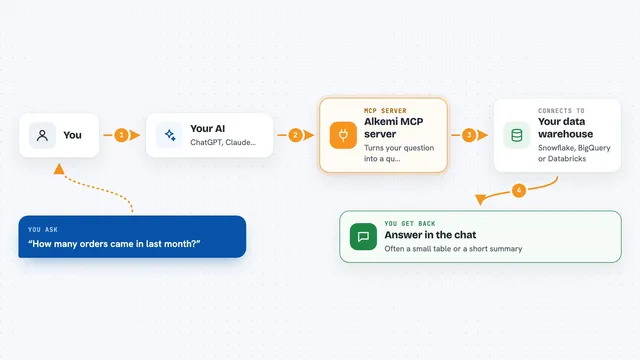
On its own, your AI can only chat. An MCP server is a small helper program that gives your AI a new skill or a connection to an app or service. This one connects your AI to Aegis DQ, which in turn talks to your database. So when you ask about your data, the AI can actually run the checks and come back with real answers.
What this MCP server does
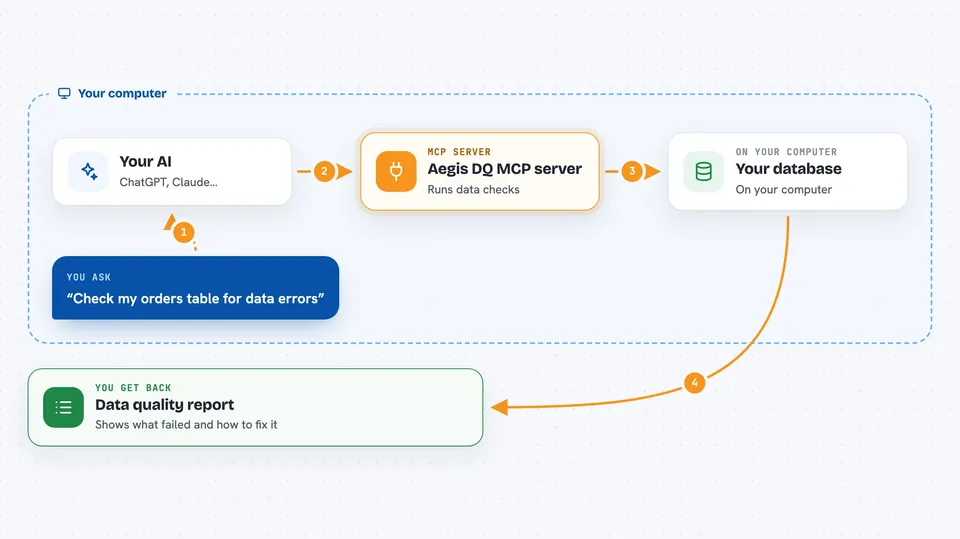
You ask your AI to check your data. The AI passes your request to this helper, which runs a set of rules against your database, such as checking for empty fields or values outside an allowed range. When a rule fails, the helper asks a language model to explain the likely cause. It also proposes a SQL statement that could fix the problem. Finally, it hands back a report with the results, the explanations, and the suggested fixes.
 Click to zoom
What you can do with it
- Check your data for missing values, duplicates, and out-of-range numbers
- Get a plain-English explanation of why a data check failed
- See a suggested SQL fix for each problem found
- Generate a starter set of data rules from your table layout
- Run checks without an AI key if you only need pass or fail results
- Look back at past runs to see what the AI decided and why
Try asking your AI
- “Run the data quality rules on my orders table and tell me what failed.”
- “Why did the customer ID check fail, and what should I do about it?”
- “Generate some basic rules for my products table.”
- “Show me the suggested SQL to fix the negative price values.”
What it gives back to you
You get back a summary showing how many rules passed and failed, along with a pass rate. For each failure, you see a short explanation of the likely cause and a suggested SQL statement to fix it. The results appear right in your chat, and you can also save a full report as a file.
Before you start
What you need
- Python installed on your computer
- A database file or connection details for the data you want to check
- An Anthropic API key if you want AI explanations (optional; you can run without one)
Good to know
The suggested SQL fixes are only proposals; review them carefully before running them on your real data, because they could change or delete rows.
Install it with your AI
Add Aegis DQ MCP server to your AI, no technical skills needed
You don't install anything by hand. You copy one prompt, paste it into an AI that can work on your computer, and it checks, installs and connects the server for you, asking you when it needs something.
Sign in to get the install prompt
Members get a ready-made prompt that lets the Claude desktop app check Aegis DQ MCP server, install it and connect it for them, step by step. You don't need any technical skills: you copy, paste and answer a few questions. Your connected AI can also find and install any of the 4,361 MCP servers here for you.
Who it's for
Data analysts, data engineers, and anyone who works with databases and wants to catch data problems early.