MCP server · Health and learning
Strava MCP server
by kw510
Let your AI look up your Strava workouts, rides and runs and answer questions about them.

This is a small helper that connects your AI assistant to Strava, the app where you log runs, rides and other workouts. Once it is set up, you can just ask your AI about your training and it will fetch the details from your Strava account. It is handy for anyone who tracks exercise and wants quick answers without scrolling through the app.
What is an MCP server? The 30-second version
On its own, your AI can only chat with you using what it already knows. An MCP server is a small helper program that gives your AI a new skill or a connection to an outside app. This one connects your AI to Strava, so it can look up your activities there when you ask. You sign in with your own Strava account, and the helper uses that permission to read your data for you.
What this MCP server does
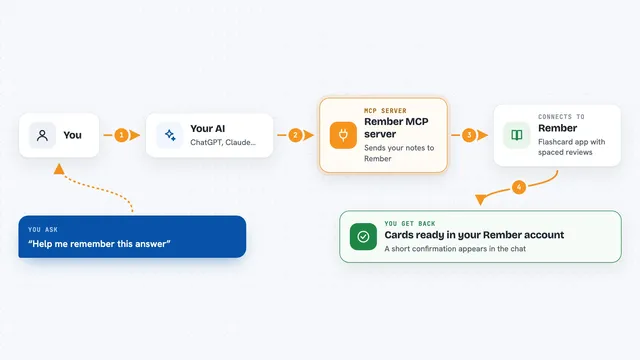
You ask your AI a question about your exercise, like how far you ran this week. Your AI passes that request to this helper. The helper talks to Strava using your Strava login, which you approve once. Strava sends back the activity details, and the helper hands them to your AI. Your AI then writes the answer for you in plain words in the chat.
 Click to zoom
What you can do with it
- Look up your recent Strava activities
- Check details of a specific run, ride or swim
- Ask about distances, times and dates of your workouts
- Get a summary of your training over a period
- See activity names and types you have logged
- Ask follow-up questions about a workout you just discussed
Try asking your AI
- “What did I do on Strava this week?”
- “How far did I run in my last activity?”
- “Show me my last five rides and how long they took.”
- “What was my longest workout this month?”
What it gives back to you
You get answers written in normal sentences in the chat, based on your Strava data. For example, a list of your recent activities with their type, date and distance, or a short summary of your week. It reads your Strava information and reports it back, rather than changing anything in your account.
Before you start
What you need
- A Strava account
- A Cloudflare account (this server is meant to be hosted there)
- Node.js and npm installed on your computer
- Wrangler CLI installed (a tool from Cloudflare for putting things online)
Good to know
It reads your Strava activity data using your Strava login, so only connect it to a server you trust and set up yourself.
Install it with your AI
Add Strava MCP server to your AI, no technical skills needed
You don't install anything by hand. You copy one prompt, paste it into an AI that can work on your computer, and it checks, installs and connects the server for you, asking you when it needs something.
Sign in to get the install prompt
Members get a ready-made prompt that lets the Claude desktop app check Strava MCP server, install it and connect it for them, step by step. You don't need any technical skills: you copy, paste and answer a few questions. Your connected AI can also find and install any of the 4,609 MCP servers here for you.
Who it's for
People who track their exercise on Strava and want their AI to answer questions about their training without opening the app.