MCP server · Security
NetIP MCP server
by labaccessnow
Lets your AI do network math, look up ports, check DNS, and inspect TLS certificates for you.

This is a small helper that gives your AI a set of network tools. It can work out subnet details, tell you what a port is used for, look up DNS records, and check the certificate a website actually serves. It is handy if you deal with networks, servers, or security questions and want quick answers without opening five different websites.
What is an MCP server? The 30-second version
On its own, your AI can only chat. An MCP server is a small helper program that gives your AI a new skill or a connection to a service. This one connects your AI to a network toolbox, so when you ask a network question, the AI can actually run the calculation or lookup and give you the real answer instead of guessing.
What this MCP server does
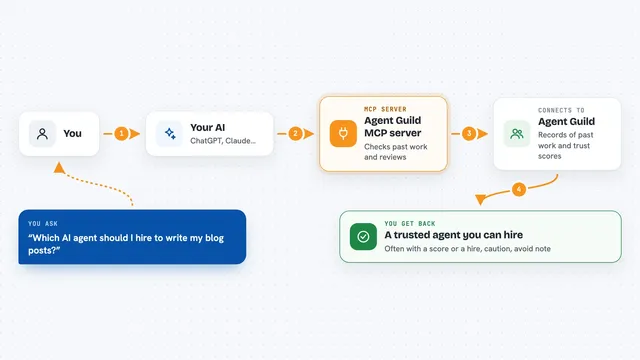
You ask your AI something like what is the host range for 10.0.0.0/24, or what runs on port 6379. The AI passes that to this helper program running on your computer. The helper does the math or looks up the information, sometimes by asking public DNS or TLS services. Then it sends the answer back, and your AI shows it to you in the chat.
 Click to zoom
What you can do with it
- Calculate subnet details like network address, broadcast, and host range for IPv4 and IPv6
- Check whether an IP address is inside a given subnet
- Convert an IP address between dotted, integer, hex, and binary forms
- Look up the vendor for a MAC address
- Find out what a port is used for and whether it should be exposed
- Check DNS records, reverse DNS, and blocklist status
- Inspect the TLS certificate a host serves and see your public IP
Try asking your AI
- “What is the host range for 192.168.1.0/24?”
- “What runs on port 3389 and is it safe to expose?”
- “Look up the DNS MX records for example.com”
- “What certificate does github.com serve and when does it expire?”
What it gives back to you
You get back plain answers in the chat: numbers, lists, and short explanations. For example, a subnet calculation comes back as a small table of addresses and counts. A port lookup gives you the service name, category, and an exposure verdict. DNS and TLS checks return the records or certificate details in a readable form.
Before you start
What you need
- Node.js 18 or newer if you use the npx install method
- Docker if you use the Docker install method
- An MCP client like Claude Desktop, Claude Code, or Cursor
Good to know
The network tools talk to public services and can reveal your public IP; tls_inspect refuses private addresses, but be mindful that lookups leave your machine.
Install it with your AI
Add NetIP MCP server to your AI, no technical skills needed
You don't install anything by hand. You copy one prompt, paste it into an AI that can work on your computer, and it checks, installs and connects the server for you, asking you when it needs something.
Sign in to get the install prompt
Members get a ready-made prompt that lets the Claude desktop app check NetIP MCP server, install it and connect it for them, step by step. You don't need any technical skills: you copy, paste and answer a few questions. Your connected AI can also find and install any of the 4,361 MCP servers here for you.
Who it's for
This is most useful for network engineers, sysadmins, security folks, and developers who often need quick network facts.