
Learning path
Learning AI as a Penetration Tester
This path shows penetration testers how to use AI for scoping, scan triage, reporting, and retests. You keep the judgment, the client trust, and the findings that matter.

Your path
Everything in the Penetration Tester AI kit, in the order that makes sense. Members tick off each step and see their progress.
Set up your AI
We guide you through each click.
Let skills do your everyday tasks
Connect your apps and pick your AI apps
Hand whole tasks to AI agents
Build your own tools
Keep growing
Everything for penetration testers
All the courses, certifications, AI tools, MCP servers and apps for penetration testers, most relevant first. Open any list to see more.
Take the prompt courses
A short framework course to learn how to ask, then 8 lessons with ready-to-use prompts for penetration testers.
Start with this framework: how to talk to AI
RACE fits penetration testing because it defines your role, action, context, and expected quality when documenting a SQL injection finding.
Then your prompt course for penetration testersWatch the video courses or add them to your Favorites for later
72 video courses our AI picked for penetration testers, most useful first. Save the ones you want to watch later with the heart.
Favorites are saved to your account: sign in or get your AI kit first.
Show all 72 video courses
Get certified, or add certifications to your Favorites
Every course ends in an exam and a certificate you can add to LinkedIn. Save the certifications you are aiming for with the heart.
Favorites are saved to your account: sign in or get your AI kit first.
More certifications for penetration testersShow all 24 certifications
Try the AI tools for penetration testers
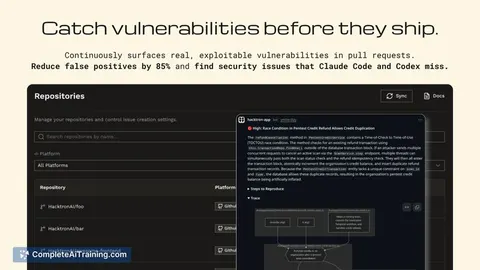
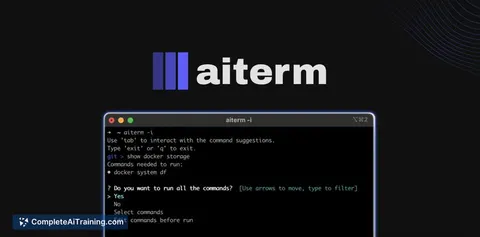
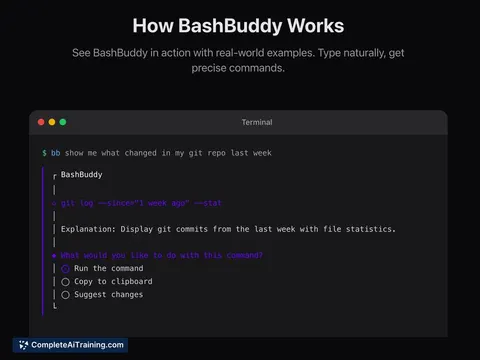
12 AI tools our AI matched to the work of penetration testers, best fit first. Each review shows what it does, its alternatives and the jobs it suits.
Favorites are saved to your account: sign in or get your AI kit first.
Show all 12 AI tools
Connect your AI to the apps penetration testers use
MCP servers let ChatGPT, Claude or Copilot look things up and get work done in other apps, like your email, calendar or bookkeeping software. These 12 fit the work of penetration testers best, well-known apps first.

Shodan MCP server
by BurtTheCoderLets your AI look up IP addresses, devices, DNS records and known security flaws using Shodan.

Security Ops MCP server
by securityfortechLets your AI run common security scanning tools like Nmap, Nuclei and Subfinder for you from one place.

rqwstr MCP server
by Kjopstad-ITLets your AI send and test web requests at a low level, for security checks and fuzzing.

ZoomEye MCP server
by zoomeye-aiLets your AI look up internet-connected devices and websites using ZoomEye search.

ROADrecon MCP server
by atomicchonkLets your AI read your ROADrecon Azure AD data and run security checks on it for you.

Operant security testing MCP server
by operantlabsLets your AI run security checks like SQL injection tests, network capture analysis and memory forensics for you.
Show all 12 MCP servers

Cybersec Toolkit MCP server
by 26zlLets your AI find and run security tools for CTF, pentesting, bug bounty and DFIR work, under rules you set.

mcp-recon MCP server
by nickpendingAsk your AI to check a website's status, headers, certificate, and network owner in plain words.

EchelonGraph MCP server
by echelongraphLets your AI look up CVE details, known exploited bugs, exploit likelihood scores, and internet exposure counts.

NIST Vulnerability Database MCP server
by HaroldFinchIFTLets your AI look up known software security flaws from the official NIST database.

Wireshark MCP server
by bx33661Ask your AI to read a network capture file and explain what happened inside it.
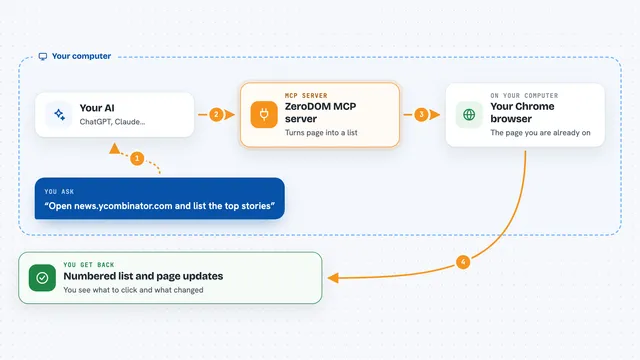
ZeroDOM MCP server
by DevHusnainAiLet your AI read and click through a real Chrome page you are already logged into, using simple numbered items.










































































About this learning path
6 topicsAI for Penetration Testers: A Practical Learning Path
Penetration testing is careful, detailed work. You read scope documents, sort through scan output, test applications, write findings, and help clients fix what you found. AI can carry some of the drafting and sorting so you spend more time on the testing itself.
This path is built for working testers. It starts with setup questions, helps you connect your AI tool, then walks through the prompt course and video courses chosen for this job, along with the certifications those courses prepare you for.
Why AI matters now
Clients want findings sooner, and the systems you test keep growing. Attackers are already using AI to move faster, so testers who use it well can cover more ground and spot issues earlier.
This is not about replacing your testing. It is about removing the slow parts around it, like rewriting the same report language or reading through long scan files.
What the path includes
You start with a short set of setup questions so the path fits your work. Then you connect your AI tool, learn the skills that matter for this job inside your AI, and work through this prompt course.
You also get video courses picked for penetration testers, and each one lists the certification it prepares you for, so you can plan your next credential with confidence.
How it saves you time
The prompts in this course handle the repetitive parts: turning a scope document into a plan, sorting scan output, drafting report sections, and tracking retests.
Most testers find the biggest wins in reporting and triage. Those are the tasks that quietly fill evenings and weekends.
How it protects your career
AI does not sign off on findings. You still decide what is a real risk, what to test next, and what to tell the client. That judgment is the part clients pay for.
Using AI well also keeps you current. You stay the person who understands the tools, not the person who was passed by them.
How to start
Begin with the setup questions and connect your AI tool. Then take the first lesson, Scoping And Planning, and use it on a real engagement this week.
Pick one task that slows you down, such as scan triage or report writing, and let the prompts carry that task for a few days. Add the rest as they fit.
Frequently asked questions
Will AI do the penetration testing for me?
No. AI helps with planning, sorting, drafting, and organizing. The testing, the judgment calls, and the client conversation stay with you. Think of it as a fast assistant that never gets tired of rewriting a paragraph.Is it safe to use AI with client data?
Treat client data carefully. Use approved tools, remove names and sensitive details where you can, and follow your rules of engagement and your client's agreement. The course covers this in the safety and privacy section.How long does the path take?
Most people move through the prompt course in a few sittings and add the video courses around their work. You can start using the prompts on a live engagement the same week.Do I need to be good at writing prompts already?
Not at all. The course gives you the prompts and shows you how to adjust them. You bring the testing knowledge, and the prompts handle the wording.