
MCP server · Developer tools
Unitree Go2 MCP server
by lpigeon
Tell your AI what you want the Go2 robot to do, and it sends the movement commands for you.
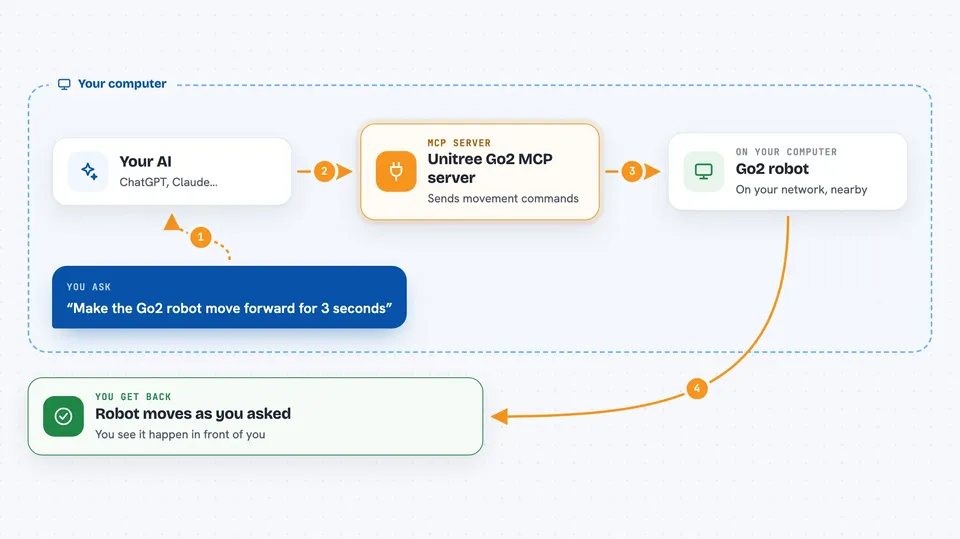
This is a small helper that lets you control a Unitree Go2 robot dog by just typing what you want in plain words. Your AI reads your sentence, turns it into robot instructions, and the robot moves. It is made for people who have a Go2 robot and a computer set up to talk to it.
What is an MCP server? The 30-second version
On its own, your AI can only chat with you. An MCP server is a small helper program that gives your AI a new skill or a connection to something outside the chat. This one connects your AI to a Unitree Go2 robot, so when you ask for a movement, the AI can actually send that request to the robot. You stay in the chat, and the robot does the thing.
What this MCP server does
You type a request like making the robot move forward at a certain speed for a few seconds. Your AI reads it and passes the details to this helper. The helper turns those details into ROS2 instructions, which is the language the robot understands, and sends them over the network. The robot then performs the action, and you can watch it happen. The helper also lets the AI interpret looser phrases, like saying the robot looks tired, and pick a sensible action.
 Click to zoom
What you can do with it
- Move the Go2 robot forward, backward, or sideways at a speed you choose
- Ask the robot to turn or change direction
- Give timed movements, like moving for a few seconds and then stopping
- Use casual, everyday phrases and let the AI figure out what you mean
- Check that the robot is reachable on the network before sending commands
- Try simple demo tasks that combine movement and obstacle avoidance
Try asking your AI
- “Make the Go2 robot move forward at a velocity of 0.5 m/s for 3 seconds”
- “Turn the robot to the left a little”
- “It looks like the Go2 is getting tired, give it a small stretch”
- “Stop the robot and stand still”
What it gives back to you
You mostly get short confirmations in the chat that the command was sent, plus the details of what was requested. The real result is the robot moving in front of you. If something is wrong, like the robot is not connected, you will see an error message instead.
Before you start
What you need
- A Unitree Go2 robot
- A computer running Ubuntu 20.04 or 22.04 with ROS2 Humble or Foxy set up
- The unitree_ros2 environment set up on that computer, up to the connect and test step
- The uv tool installed, and the path to your ROS2 setup file edited inside server.py
Good to know
This sends real movement commands to a physical robot, so make sure the area around the Go2 is clear and someone is ready to stop it if needed.
Install it with your AI
Add Unitree Go2 MCP server to your AI, no technical skills needed
You don't install anything by hand. You copy one prompt, paste it into an AI that can work on your computer, and it checks, installs and connects the server for you, asking you when it needs something.
Sign in to get the install prompt
Members get a ready-made prompt that lets the Claude desktop app check Unitree Go2 MCP server, install it and connect it for them, step by step. You don't need any technical skills: you copy, paste and answer a few questions. Your connected AI can also find and install any of the 4,066 MCP servers here for you.
Who it's for
People who already own or work with a Unitree Go2 robot and want to command it by typing instead of writing robot code.


