MCP server · Analytics
Tallybook MCP server
by magna-nz
Lets your AI check what its own sessions cost and what would have been cheaper.

Tallybook is a small tool that reads the Claude Code and Codex sessions saved on your computer and works out what each one cost. It runs entirely on your machine, with no proxy and no API key, and nothing is sent anywhere. It is handy if you use Claude Code or Codex often and want to know where your money is going.
What is an MCP server? The 30-second version
On its own, your AI can only chat with you. An MCP server is a small helper program that gives your AI one extra skill or a connection to something else. Here, that helper is tallybook-mcp, and it connects your AI to the cost records of your own Claude Code and Codex sessions on your disk. Once it is added, you can just ask your AI what it has been spending, and it will look it up for you.
What this MCP server does
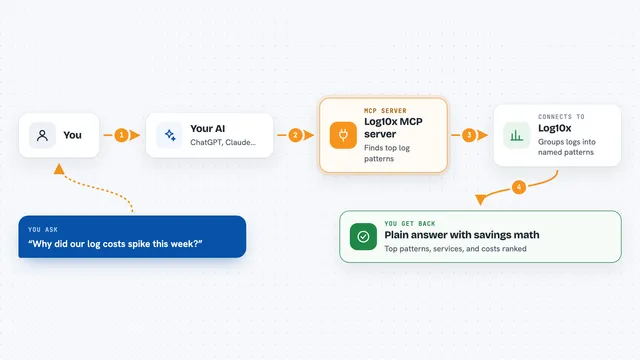
You ask your AI something like what did I spend this week, or which session cost the most. Your AI passes that question to the tallybook-mcp helper. The helper reads the session files already stored on your computer and prices them. It then hands the numbers, the comparisons and any suggested fixes back to your AI, which explains them to you in the chat.
 Click to zoom
What you can do with it
- See what each Claude Code or Codex session cost
- Compare this week's spend against last week's
- Break spending down by sub-agent and by model
- Rank your sessions by how much they cost
- Get plain English findings on what would have been cheaper
- Read a suggested patch for a finding
- Check whether a past model swap actually saved money
Try asking your AI
- “What did my Claude Code sessions cost this week?”
- “Which session cost me the most in the last 7 days?”
- “Compare this week's spend with last week's.”
- “Show me the biggest finding and what I should change.”
What it gives back to you
You get back answers in plain words: totals, per-session costs, week-on-week comparisons and cache hit rates. Findings come as short explanations of what happened, why, and what to change, and you can ask for the sessions behind a finding as evidence. A finding can also come with a suggested patch shown as a diff you could apply. Everything appears right in the chat, and you can also open the same report in your browser.
Before you start
What you need
- Claude Code or Codex installed and used on this machine, so there are sessions to price
- The tallybook tool installed (it comes with the tallybook-mcp helper)
Good to know
It reads the Claude Code and Codex session files on your disk, so it can see the contents of those sessions, though nothing leaves your machine.
Install it with your AI
Add Tallybook MCP server to your AI, no technical skills needed
You don't install anything by hand. You copy one prompt, paste it into an AI that can work on your computer, and it checks, installs and connects the server for you, asking you when it needs something.
Sign in to get the install prompt
Members get a ready-made prompt that lets the Claude desktop app check Tallybook MCP server, install it and connect it for them, step by step. You don't need any technical skills: you copy, paste and answer a few questions. Your connected AI can also find and install any of the 4,609 MCP servers here for you.
Who it's for
People who use Claude Code or Codex regularly and want to keep an eye on what those sessions cost.