MCP server · API
REST API MCP server
Let your AI log in to your company's API and call its endpoints for you, without you writing any auth code.
This is a helper that lets your AI talk to a REST API, which is just a web service your company or a tool exposes so programs can ask it for data or make changes. You point it at your API once, and after that your AI can look up endpoints and call them for you. It is handy for developers and testers who poke at APIs all day and would rather ask in plain words.
What is an MCP server? The 30-second version
On its own, your AI can only chat. An MCP server is a small helper program that gives your AI a new skill or a connection to an app or service. This one connects your AI to a REST API, so the AI can search its endpoints, read their details, and call them for you when you ask. You set it up once with your API address and login, and then it just works in the background.
What this MCP server does
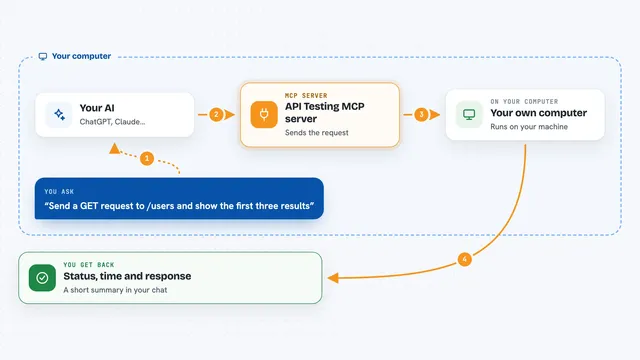
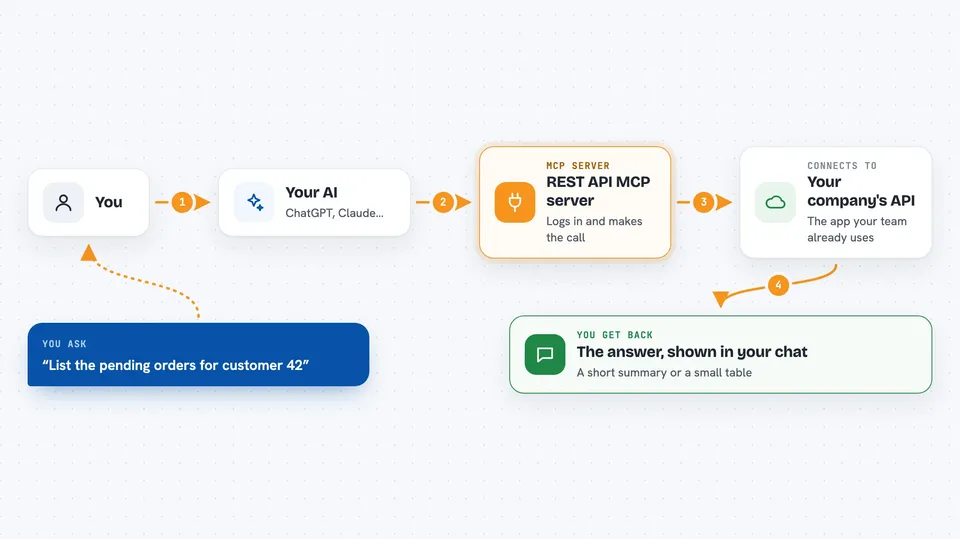
You tell your AI what you want, like "list the pending orders" or "add a manager to this pharmacy". The AI uses this helper to search the API's documentation and find the right endpoint. The helper then logs in for you, grabs a token, and makes the actual call to the API. Whatever the API sends back, the helper hands to your AI, and your AI shows it to you in the chat. If the token expires, it quietly logs in again.
 Click to zoom
What you can do with it
- Search an API's endpoints by keyword when you do not know the exact path
- See the full details of one endpoint, including the fields it needs and an example body
- Call any endpoint with GET, POST, PUT, PATCH or DELETE
- Log in automatically before each call and re-login when the token expires
- Handle two-step logins with a one-time code (2FA)
- Fetch the full OpenAPI or Swagger spec so your AI can read the whole API
- Inspect a raw login response when the token is in an unusual place
Try asking your AI
- “Find the endpoint that lists orders for a customer”
- “Show me what fields the add-manager endpoint needs”
- “Call the orders search endpoint with status pending and limit 20”
- “Log in and show me the raw response so we can find the token”
What it gives back to you
You get back whatever the API returns: lists of records, single items, status codes, and the time the call took. For login flows, it also shows the full login response, which is handy for IDs like userId or orgId you need later. Your AI usually turns that into a short summary or a small table in the chat. Long responses get trimmed so they fit in the conversation.
Before you start
What you need
- Node.js installed on your computer (the free runtime that runs this helper)
- The base web address of the API you want to call
- A login email and password for that API
- The API's Swagger or OpenAPI documentation link (strongly recommended)
Good to know
This helper logs in with your real credentials and can change or delete data through the API, so be careful with what you ask it to do on a live system.
Install it with your AI
Add REST API MCP server to your AI, no technical skills needed
You don't install anything by hand. You copy one prompt, paste it into an AI that can work on your computer, and it checks, installs and connects the server for you, asking you when it needs something.
Sign in to get the install prompt
Members get a ready-made prompt that lets the Claude desktop app check REST API MCP server, install it and connect it for them, step by step. You don't need any technical skills: you copy, paste and answer a few questions. Your connected AI can also find and install any of the 4,609 MCP servers here for you.
Who it's for
Developers, testers, and technical support folks who work with a REST API and want to explore or call it by chatting instead of writing code.