
MCP server · Finance and crypto
NodeFlare MCP server
Ask your AI about wallets, tokens and gas on 23 blockchains, and get real answers from live nodes.
This is a helper that connects your AI to real blockchain data. It lets your AI look up balances, transactions, token details and gas prices on networks like Ethereum, Base and Arbitrum. It is handy if you work with crypto and want quick answers without opening a block explorer.
What is an MCP server? The 30-second version
On its own, your AI can only chat with you. An MCP server is a small helper program that gives your AI a new skill. This helper connects your AI to NodeFlare's blockchain nodes, so it can look things up on 23 networks for you. You just ask in normal words, and the AI uses this helper behind the scenes.
What this MCP server does
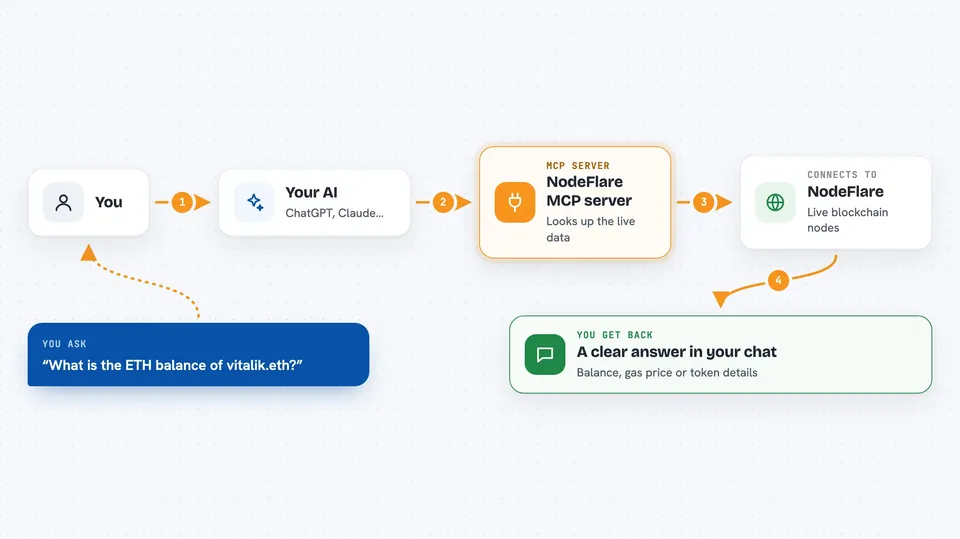
You ask your AI something like the balance of a wallet or the gas price on Base. The AI sends that request to this helper. The helper talks to NodeFlare's own blockchain nodes and fetches the real data. Then the AI turns it into a clear answer in your chat. For simple lookups, no account or key is needed.
 Click to zoom
What you can do with it
- Check the balance of a wallet on one chain or across many chains
- Look up a transaction and see what it actually did
- Get token details like name, symbol, decimals and supply
- Compare gas prices across chains and pick the cheapest
- Resolve an ENS name like vitalik.eth to a wallet address
- Check a token's safety before you trade it
- Get a full report on a wallet, including approvals
Try asking your AI
- “What is the ETH balance of vitalik.eth?”
- “Show me the last transactions for this wallet on Base”
- “Which chain has the cheapest gas right now?”
- “Is this token safe to buy? Check the contract on Ethereum”
What it gives back to you
You get plain answers in the chat, like a balance in the chain's own currency plus the raw number. For transactions, you get a short explanation of what happened. For gas, you get a comparison sorted cheapest first. Some tools also return lists, like token holdings or approvals.
Before you start
What you need
- The Claude desktop app or another app that supports MCP servers
- Node.js 18 or newer (so the npx command works)
- Nothing else for basic lookups. For heavy methods you need a free NodeFlare API key or a small crypto wallet for pay-per-call
Good to know
Some tools can cost a small amount of money per call if you use a pay-per-call wallet, so use a dedicated wallet with a small balance and never your main one.
Install it with your AI
Add NodeFlare MCP server to your AI, no technical skills needed
You don't install anything by hand. You copy one prompt, paste it into an AI that can work on your computer, and it checks, installs and connects the server for you, asking you when it needs something.
Sign in to get the install prompt
Members get a ready-made prompt that lets the Claude desktop app check NodeFlare MCP server, install it and connect it for them, step by step. You don't need any technical skills: you copy, paste and answer a few questions. Your connected AI can also find and install any of the 4,609 MCP servers here for you.
Who it's for
People who work with crypto and want fast, plain answers about wallets, tokens and gas without leaving their chat.



