MCP server · Developer tools
DICOM/HL7/FHIR MCP server
by NyxToolsDev
Lets your AI look up medical imaging and health data standards, and even query a hospital PACS system.

This is a helper for people who work with medical data systems. It lets your AI answer questions about DICOM (medical images), HL7 (health messages) and FHIR (health records), and translate between them. Handy if you build or support hospital software and keep looking things up.
What is an MCP server? The 30-second version
On its own, your AI can only chat. An MCP server is a small helper program that gives your AI a new skill or a connection to another system. This one connects your AI to healthcare data standards like DICOM, HL7 and FHIR, and optionally to a real PACS (the system that stores medical images). So when you ask about a tag or a message, the AI can look it up properly instead of guessing.
What this MCP server does
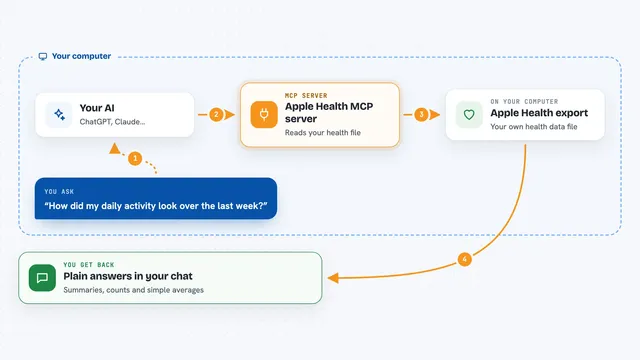
You ask your AI a question, for example what a DICOM tag means or how to read an HL7 message. The AI sends that request to this helper program running on your computer. The helper looks it up in its built-in knowledge of the standards, and for premium tools it can also talk to a PACS system to fetch study details. Then the AI shows you the answer in plain words, with field names, values and notes about common pitfalls.
 Click to zoom
What you can do with it
- Look up any DICOM tag by number or keyword
- Explain an HL7 message segment by segment
- Map DICOM fields to HL7 fields, and HL7 fields to FHIR resources
- Generate a Mirth Connect channel setup
- Decode vendor private DICOM tags from GE, Siemens and Philips
- Query a PACS for studies by patient, date or modality
- Generate realistic sample HL7 messages for testing
Try asking your AI
- “What is DICOM tag (0008,0050)?”
- “Parse this HL7 message and explain each segment”
- “What HL7 field does DICOM Accession Number map to?”
- “Generate a Mirth channel for receiving ADT messages and writing to a FHIR server”
What it gives back to you
You get back clear answers in the chat: tag explanations, parsed message segments with field names and values, mapping tables, or generated message and channel configurations. If you query a PACS, you get study details like patient, date, modality and description, plus a PHI warning banner. Nothing is written to your disk.
Before you start
What you need
- The Claude desktop app (or another app that supports MCP servers)
- Python with uvx available on your computer
- A premium license key for the mapping, Mirth and PACS tools (from nyxtools.gumroad.com)
- PACS connection details if you want to query a real hospital system
Good to know
The PACS tools can read real patient data, so only use them where your organization allows, and be careful with cloud AI services.
Install it with your AI
Add DICOM/HL7/FHIR MCP server to your AI, no technical skills needed
You don't install anything by hand. You copy one prompt, paste it into an AI that can work on your computer, and it checks, installs and connects the server for you, asking you when it needs something.
Sign in to get the install prompt
Members get a ready-made prompt that lets the Claude desktop app check DICOM/HL7/FHIR MCP server, install it and connect it for them, step by step. You don't need any technical skills: you copy, paste and answer a few questions. Your connected AI can also find and install any of the 4,361 MCP servers here for you.
Who it's for
Healthcare IT engineers, PACS and integration analysts, and anyone who works with DICOM, HL7 or FHIR data.