MCP server · Developer tools
mcpcost MCP server
by ondraulehla
Check whether an MCP server is alive and how many tokens its tools cost before you add it.
mcpcost is a helper that checks MCP servers for you. It looks at whether a server is alive, what it needs to log in, and how many tokens its tools would eat up in your AI chat. It is handy if you keep adding MCP servers to Claude, Cursor, or VS Code and want to know what each one really costs you.
What is an MCP server? The 30-second version
On its own, your AI can only chat with you. An MCP server is a small helper program that gives your AI a new skill or a connection to an app or service. This one connects your AI to mcpcost, a service that measures other MCP servers. So when you ask your AI about a server, it can look up whether that server is alive and how many tokens its tools cost, without you leaving the chat.
What this MCP server does
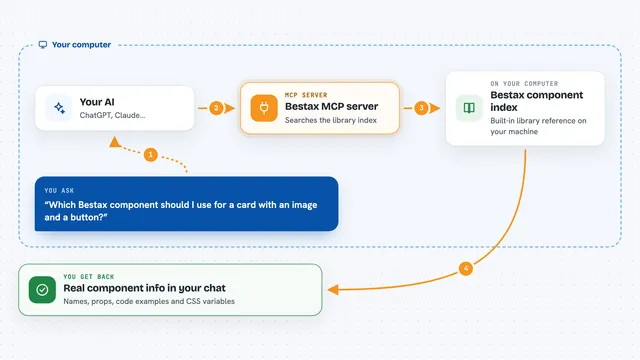
You ask your AI something like whether a certain MCP server is worth adding. Your AI sends that question to the mcpcost helper. The helper looks up the server in a big public list that gets checked every day, or it can test a web address live right then. It comes back with whether the server answered, how many tools it has, and roughly how many tokens those tools would use. Your AI then tells you the answer in plain words in the chat.
What you can do with it
- Look up a single MCP server by name and see if it is alive
- Search the public list of MCP servers by keyword
- Compare two to five servers side by side
- Probe any server web address live to see if it responds
- Get a summary of how many servers in the registry are working
- Check how many tokens a server's tools would cost you
Try asking your AI
- “Is the Linear MCP server alive right now?”
- “Search the MCP registry for GitHub Copilot servers”
- “Compare the Notion and Linear MCP servers for me”
- “Check this MCP address live and tell me how many tokens its tools cost”
What it gives back to you
You get short answers in the chat: whether a server is alive or needs login, how many tools it has, and a token cost number. For a comparison, you get the servers side by side with their status and cost. For a live check, you get the result of the test that just ran. Nothing is changed anywhere; it only reads and reports.
Before you start
What you need
- An AI app that can connect to MCP servers, like Claude or Cursor
- Nothing else for the hosted version, it is free and needs no login
Good to know
It only reads and reports, so it cannot change or delete anything, but a live check does contact the server address you give it.
Install it with your AI
Add mcpcost MCP server to your AI, no technical skills needed
You don't install anything by hand. You copy one prompt, paste it into an AI that can work on your computer, and it checks, installs and connects the server for you, asking you when it needs something.
Sign in to get the install prompt
Members get a ready-made prompt that lets the Claude desktop app check mcpcost MCP server, install it and connect it for them, step by step. You don't need any technical skills: you copy, paste and answer a few questions. Your connected AI can also find and install any of the 4,611 MCP servers here for you.
Who it's for
Anyone who uses several MCP servers in their AI setup and wants to know which ones work and what they cost in tokens.