MCP server · Research
Pangolinfo Amazon Data MCP server
by Pangolin-spg
Lets your AI look up Amazon products, reviews, best sellers, and niche data for you.
This is a helper that connects your AI assistant to Pangolinfo, a service that gathers information about Amazon. Once it is set up, you can ask your AI questions about products, reviews, sellers, and categories, and it will go fetch the answers for you. It is handy for anyone who researches products or market trends on Amazon, like sellers, marketers, and product researchers.
What is an MCP server? The 30-second version
On its own, your AI can only chat with you using what it already knows. An MCP server is a small helper program that gives your AI a new skill or a connection to an outside service. This one connects your AI to Pangolinfo, which collects Amazon data. So when you ask about a product or a category, your AI can reach out through this helper and bring back real information instead of guessing.
What this MCP server does
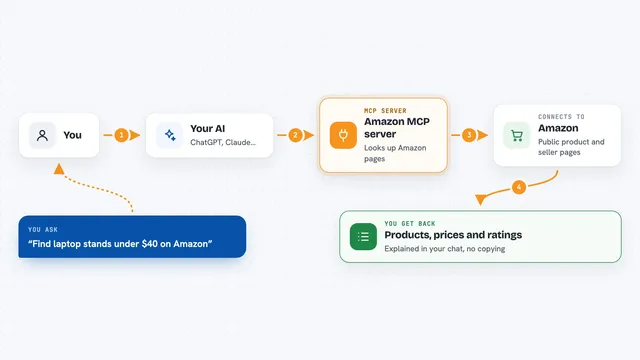
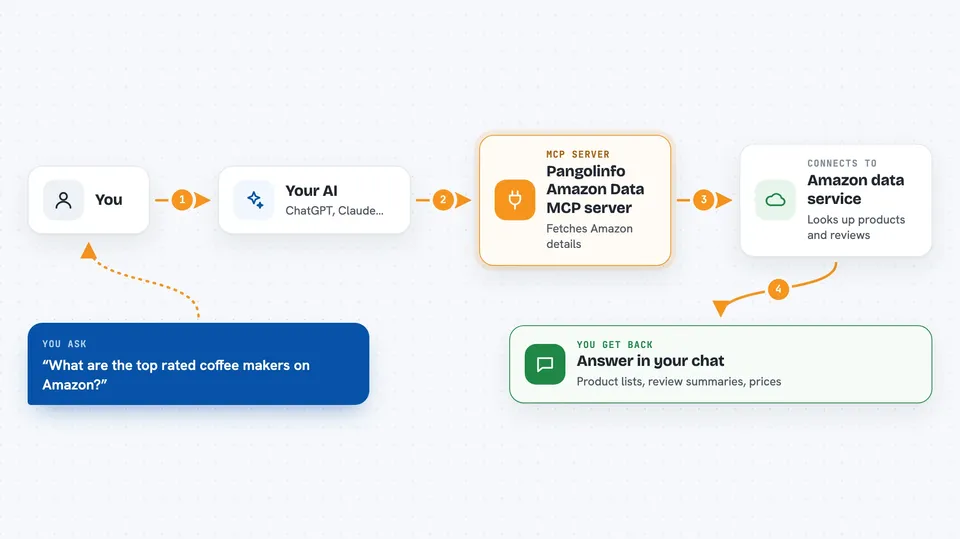
You ask your AI a question about Amazon, like what a product costs or what people say in reviews. Your AI sends that request to this helper, which passes it along to Pangolinfo's service. Pangolinfo looks up the data and sends it back. Your AI then shows you the answer in plain language in your chat window. You never have to visit Amazon or Pangolinfo yourself.
 Click to zoom
What you can do with it
- Look up details for a specific Amazon product
- Read and summarize customer reviews
- Find best sellers and new releases in a category
- Search for products by keyword
- Check delivery estimates for an item
- Explore categories and niche opportunities
- See Alexa shopping recommendations
Try asking your AI
- “What are the top rated coffee makers on Amazon right now?”
- “Summarize the reviews for this product link”
- “Show me best sellers in the kitchen category”
- “What is the delivery estimate for this item to New York?”
What it gives back to you
You get back answers in your chat, like a list of products with names and prices, a summary of what reviewers said, or a set of category suggestions. It might also give you numbers like ratings or counts. Everything appears as normal text you can read and copy.
Before you start
What you need
- A Pangolinfo API key (a kind of password you get from Pangolinfo)
- Node.js 18 or newer if you run it on your own computer
Good to know
This server only reads data, so it will not change or delete anything on Amazon, but it does use your Pangolinfo account and may count against your plan limits.
Install it with your AI
Add Pangolinfo Amazon Data MCP server to your AI, no technical skills needed
You don't install anything by hand. You copy one prompt, paste it into an AI that can work on your computer, and it checks, installs and connects the server for you, asking you when it needs something.
Sign in to get the install prompt
Members get a ready-made prompt that lets the Claude desktop app check Pangolinfo Amazon Data MCP server, install it and connect it for them, step by step. You don't need any technical skills: you copy, paste and answer a few questions. Your connected AI can also find and install any of the 4,361 MCP servers here for you.
Who it's for
Amazon sellers, product researchers, and marketers who want quick answers about products and trends without browsing the site themselves.