MCP server · Health and learning
Quantified Self MCP server
by Thecimal
Ask your AI about your own health history, stored privately on your computer.
This is a small helper that connects your AI to your personal health data, kept in a file on your own computer. You can ask questions about your sleep, heart rate, steps, weight and more, and the AI looks up the answers for you. It is handy if you track your health and want to understand your own numbers without sending them to a company.
What is an MCP server? The 30-second version
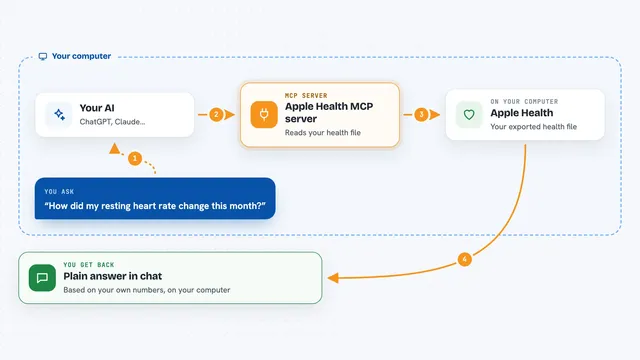
On its own, your AI can only chat. It does not know anything about your sleep or your heart rate. An MCP server is a small helper program that gives your AI a new skill or a connection to something, here to your personal health data. Once it is connected, the AI can look things up in your health history and answer your questions.
What this MCP server does
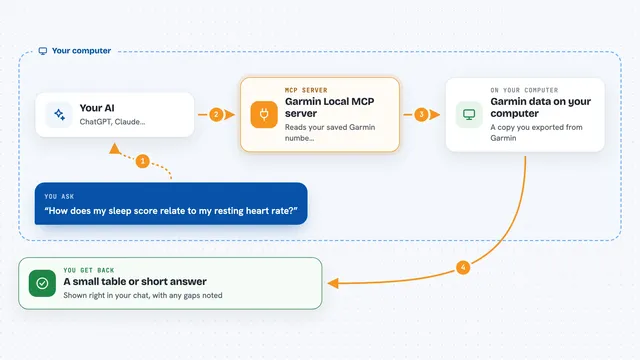
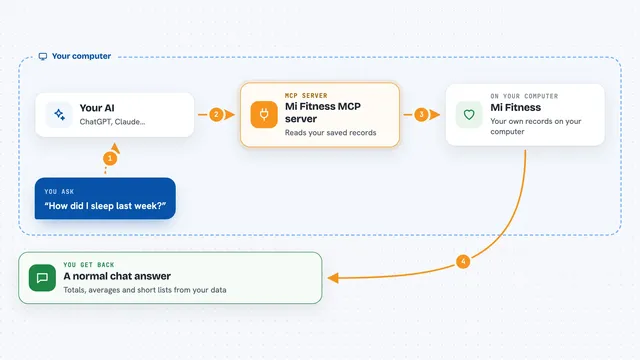
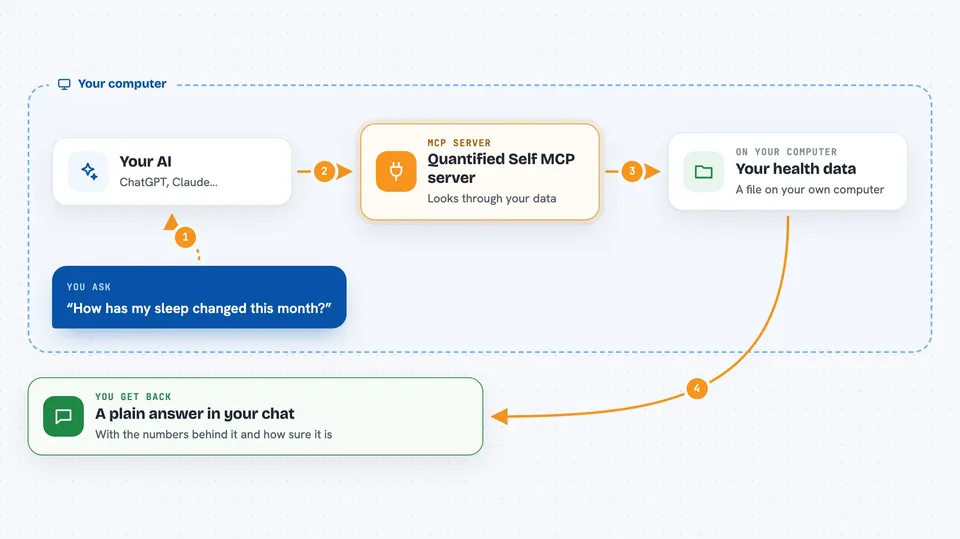
You ask your AI a question about your health, like how your sleep changed this month. The AI sends that question to this helper program. The helper looks through your health data, which sits in a file on your computer. It finds the numbers and does the math, then hands the results back to the AI. The AI turns that into a plain answer for you, and it also tells you how solid the answer is based on how much data you actually logged.
 Click to zoom
What you can do with it
- Look up your recent health metrics like steps, sleep, heart rate and weight
- Show how a metric has changed over the last week, month or year
- Compare two periods, like this month against last month
- Spot unusual days or values in your history
- Find patterns between two metrics, like sleep and resting heart rate
- Explain what changed recently and why
- Import your existing history from a CSV file or an Apple Health export
Try asking your AI
- “How has my sleep changed over the last 30 days?”
- “Why did my HRV change recently?”
- “What happened to my resting heart rate after my workouts increased?”
- “Which metrics changed the most this month?”
What it gives back to you
You get a written answer in the chat, with the numbers behind it. For example, it might say your HRV dropped 24 percent over 30 days. Along with that, it tells you how much data was actually logged and how confident you should be in the result. If your data has gaps, it will say so instead of pretending the answer is exact.
Before you start
What you need
- Python installed on your computer
- Your health data in a CSV file or an Apple Health export
- An MCP-compatible AI app, like Claude Desktop or another client that supports MCP
Good to know
Your health data is sensitive, so keep it on your own machine and use the private fields setting if there are metrics you would rather the AI not see.
Install it with your AI
Add Quantified Self MCP server to your AI, no technical skills needed
You don't install anything by hand. You copy one prompt, paste it into an AI that can work on your computer, and it checks, installs and connects the server for you, asking you when it needs something.
Sign in to get the install prompt
Members get a ready-made prompt that lets the Claude desktop app check Quantified Self MCP server, install it and connect it for them, step by step. You don't need any technical skills: you copy, paste and answer a few questions. Your connected AI can also find and install any of the 4,361 MCP servers here for you.
Who it's for
People who track their own health and want to ask an AI questions about their personal data without sending it to a cloud service.