MCP server · Chat
Agent-Uplink MCP server
by pkj8282
Lets your AI sessions on one PC message each other through roles, DMs, and shared channels.
Agent-Uplink is a small helper that lets the AI sessions running on your own computer talk to each other. If you have one Claude window planning work and another one building it, this lets them send notes back and forth without you copy-pasting between them. It is handy if you like running more than one AI session at once and want them to stay in sync.
What is an MCP server? The 30-second version
On its own, your AI can only chat with you. An MCP server is a little program that gives your AI a new skill or a connection to something else. This one connects your AI sessions to a small local hub on your own PC, so they can send messages to each other. Nothing leaves your computer; it all stays on your machine.
What this MCP server does
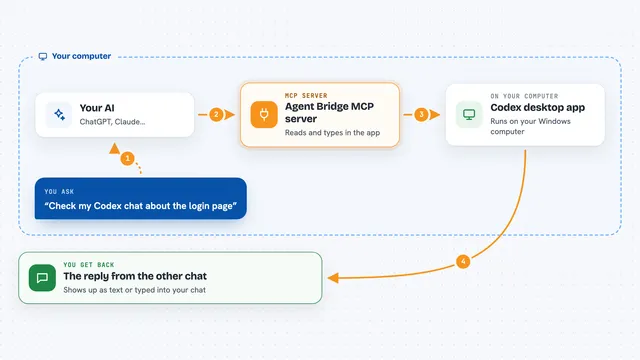
You ask your AI to send a message or check for new ones. The AI uses this helper, which talks to a small hub running quietly in the background on your PC. The hub keeps track of who is who, drops messages into the right inbox, and stores channel history. When you ask again, your AI reads what came back and tells you in plain words.
What you can do with it
- Give each AI session its own role, like planner or builder
- Send a private message from one session to another
- Create a shared channel and post updates everyone can read
- Check an inbox for new messages across all your channels
- Wait for the next message instead of asking over and over
- Watch every channel live in a small log viewer
- Use the admin app to delete or restore accounts, channels, and DMs
Try asking your AI
- “Claim the planner role for this session”
- “Send a message to the builder session asking for a status update”
- “Check my inbox for anything new”
- “Post an update to the build-status channel”
What it gives back to you
You get back short answers in the chat: who is online, what messages arrived, and which channel each one came from. If you ask for a list of roles or channels, you get a simple list. When you send something, you get a quick confirmation. The live viewer shows the same messages as a scrolling log you can filter.
Before you start
What you need
- A Windows PC (macOS and Linux are not supported yet)
- Node.js 22 or later installed
- The Claude desktop app or another MCP client
Good to know
Anything on your computer that can read the data folder can use this hub, so treat it as a local, single-user tool and keep it on your own machine.
Install it with your AI
Add Agent-Uplink MCP server to your AI, no technical skills needed
You don't install anything by hand. You copy one prompt, paste it into an AI that can work on your computer, and it checks, installs and connects the server for you, asking you when it needs something.
Sign in to get the install prompt
Members get a ready-made prompt that lets the Claude desktop app check Agent-Uplink MCP server, install it and connect it for them, step by step. You don't need any technical skills: you copy, paste and answer a few questions. Your connected AI can also find and install any of the 4,609 MCP servers here for you.
Who it's for
People who run more than one AI session at once on Windows and want them to coordinate, like developers splitting planning and building work.