MCP server · Chat
LLM Council
by elhamid
Ask one question and get answers from several AI models, plus their reviews of each other and one combined final answer.

LLM Council is a small web app you run on your own computer. Instead of asking one AI, you ask a group of them at once, they each answer, then they review and rank each other's answers, and one of them writes a final combined reply. It is handy if you want a second, third and fourth opinion on something before you trust an answer.
What is an MCP server? The 30-second version
On its own, your AI can only chat with you. An MCP server is a small helper program that gives your AI a new skill or a connection to another app. This one connects your AI to LLM Council, a local app that runs a group of AI models together. So when you ask your AI something, it can send the question to the council and bring back the group's answers and their final combined reply.
What this MCP server does
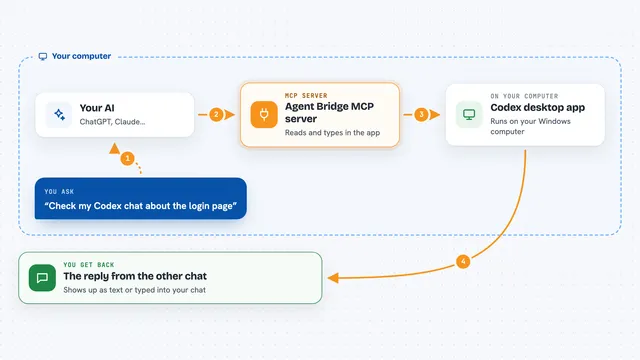
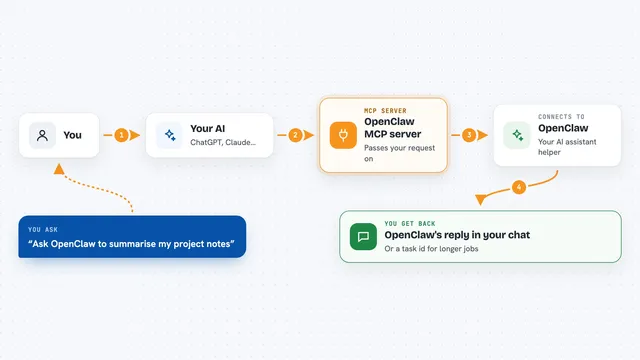
You ask your AI a question, and it passes that question to the LLM Council app running on your computer. The council sends your question to several AI models at the same time, and each one writes its own answer. Then each model reads the others' answers and ranks them, without knowing which model wrote which. Finally, one chosen model (the Chairman) reads everything and writes a single final answer. Your AI then shows you that final answer, and you can also look at the individual answers and the rankings.
 Click to zoom
What you can do with it
- Ask several AI models the same question at once
- See each model's separate answer side by side
- Read the anonymous rankings each model gave the others
- Get one combined final answer from the Chairman model
- Look back at past council runs and their saved traces
- Compare how the council behaves across different questions
Try asking your AI
- “Ask the LLM Council what the main risks are in this contract clause.”
- “Send this question to the council: is it better to rent or buy in our situation?”
- “Have the council review this draft and give me their combined take.”
- “Ask the council to compare these three options and rank them.”
What it gives back to you
You get the council's final combined answer as text in your chat, written by the Chairman model. You can also open the app to see each model's individual answer in tabs, the anonymous rankings they gave each other, and the average rank per model. Past runs are saved, so you can go back and read them later.
Before you start
What you need
- The LLM Council app installed and running on your computer
- An OpenRouter API key (a kind of password for apps; you get one free at openrouter.ai)
- Credits on your OpenRouter account, since each model call costs a little
- Python 3.10 or newer, Node.js, and the uv tool for Python
Good to know
Each question sends your text to several AI models through OpenRouter, and every call costs a little money, so keep an eye on your credits and avoid pasting private or sensitive information.
Install it with your AI
Add LLM Council to your AI, no technical skills needed
You don't install anything by hand. You copy one prompt, paste it into an AI that can work on your computer, and it checks, installs and connects the server for you, asking you when it needs something.
Sign in to get the install prompt
Members get a ready-made prompt that lets the Claude desktop app check LLM Council, install it and connect it for them, step by step. You don't need any technical skills: you copy, paste and answer a few questions. Your connected AI can also find and install any of the 4,361 MCP servers here for you.
Who it's for
People who want a second opinion on important questions and are happy to run a small app on their own machine, such as writers, analysts and researchers.