
MCP server · Research
AviationStack MCP server
Lets your AI look up real flight status, airport schedules and airline data for you.
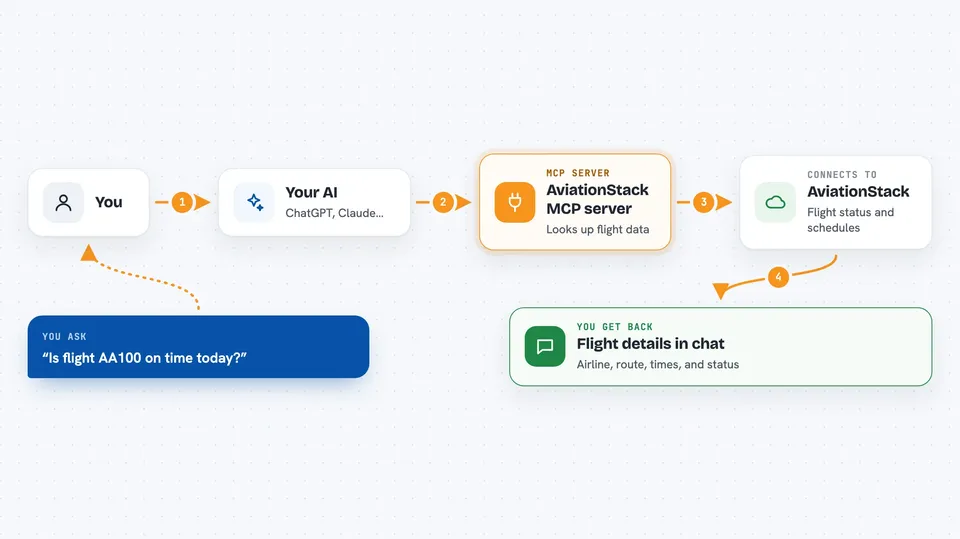
This is a small helper that connects your AI assistant to AviationStack, a service that holds live and future flight information. Once it is set up, you can just ask your AI things like whether a flight is on time or what is leaving an airport today, and it will go and fetch the answer. It is handy for anyone who travels a lot, books trips, or works with flight data.
What is an MCP server? The 30-second version
On its own, your AI can only chat with you using what it already knows. An MCP server is a small helper program that gives your AI a new skill or a connection to an outside service. This one connects your AI to AviationStack, a flight data service, so it can look up flights, airports and airlines for you. You ask in normal words, and the AI uses this helper behind the scenes to get the real data.
What this MCP server does
You ask your AI a question about a flight, an airport or an airline. The AI picks the right tool from this helper and sends the details, like a flight number or an airport code. The helper then talks to the AviationStack service and gets the matching records back. The AI reads that data and explains it to you in the chat, in plain words. You never have to touch the technical parts yourself.
 Click to zoom
What you can do with it
- Check the status of one flight by its flight number
- See live flights for a specific airline
- Look up an airport's arrivals or departures board for today
- Get future flight schedules for an airport and airline
- Fetch historical flights for a past date
- Browse reference lists of airports, airlines, routes and taxes
- Get details on random aircraft types, airplanes, countries and cities
Try asking your AI
- “Is flight AA100 on time today?”
- “Show me the next few Delta flights that are currently active”
- “What is arriving at JFK today?”
- “What flights are scheduled to depart from LHR on Delta next Friday?”
What it gives back to you
You get answers in the chat, usually as a short list or a small table of flights with things like the airline, route, times and status. If you ask about one flight, you get that flight's details and any codeshares. If nothing matches, the AI tells you there were no results. Reference lookups come back as lists of airports, airlines, routes or taxes.
Before you start
What you need
- A free AviationStack API key (a kind of password for apps; you sign up on their site and they give you one)
- Python 3.13 or newer
- The uv package manager installed
Good to know
Some tools, like historical flights, need a paid AviationStack plan, so they may not work with a free key.
Install it with your AI
Add AviationStack MCP server to your AI, no technical skills needed
You don't install anything by hand. You copy one prompt, paste it into an AI that can work on your computer, and it checks, installs and connects the server for you, asking you when it needs something.
Sign in to get the install prompt
Members get a ready-made prompt that lets the Claude desktop app check AviationStack MCP server, install it and connect it for them, step by step. You don't need any technical skills: you copy, paste and answer a few questions. Your connected AI can also find and install any of the 4,609 MCP servers here for you.
Who it's for
Frequent travellers, travel agents, trip planners and anyone who works with flight or airline information.




