MCP server · Design tools
JavaFX Drawing MCP server
by quarkiverse
Lets your AI draw simple pictures on a JavaFX canvas when you ask it to.

This is a small helper that gives your AI the ability to draw. It uses JavaFX, a toolkit for making windows and graphics in Java, to put shapes on a canvas. It is handy if you want quick sketches or diagrams made from your chat, without opening a drawing app yourself.
What is an MCP server? The 30-second version
On its own, your AI can only chat. It cannot draw or open apps by itself. An MCP server is a small helper program that gives your AI a new skill. This one connects your AI to a JavaFX drawing canvas, so when you ask for a picture, the AI can actually put shapes on that canvas for you.
What this MCP server does
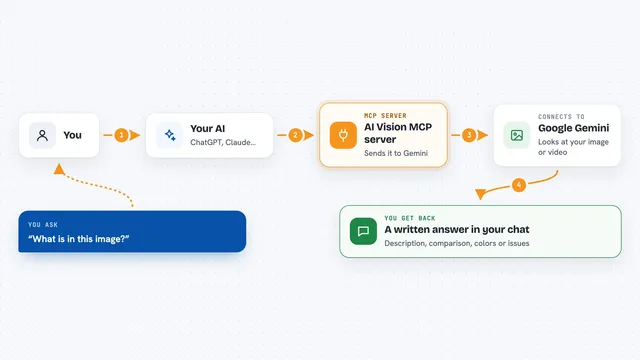
You ask your AI to draw something, like a circle or a simple scene. The AI passes that request to this helper program. The helper uses JavaFX to draw the shapes on a canvas window. You then see the drawing appear. It is a simple loop: you describe, the AI draws, you look.
 Click to zoom
What you can do with it
- Draw basic shapes like circles, rectangles, and lines on a canvas
- Combine several shapes into a small scene
- Place shapes at specific positions you describe
- Change colors and sizes of the shapes it draws
- Create quick visual sketches from a text description
Try asking your AI
- “Draw a red circle in the middle of the canvas”
- “Make a simple house with a square body and a triangle roof”
- “Draw three blue rectangles in a row”
- “Sketch a smiley face using circles and lines”
What it gives back to you
You get a drawing on a JavaFX canvas window. The AI may also reply in chat to confirm what it drew. What you see is the picture itself, not a file you download. It is meant for quick visual output, not for saving finished artwork.
Before you start
What you need
- jbang installed on your computer (a small tool that runs Java programs easily)
- An MCP client like Claude Desktop or mcp-cli
- Java installed (jbang can help set this up)
Good to know
This server draws on a canvas window on your computer, so it will open a JavaFX window when used.
Install it with your AI
Add JavaFX Drawing MCP server to your AI, no technical skills needed
You don't install anything by hand. You copy one prompt, paste it into an AI that can work on your computer, and it checks, installs and connects the server for you, asking you when it needs something.
Sign in to get the install prompt
Members get a ready-made prompt that lets the Claude desktop app check JavaFX Drawing MCP server, install it and connect it for them, step by step. You don't need any technical skills: you copy, paste and answer a few questions. Your connected AI can also find and install any of the 4,361 MCP servers here for you.
Who it's for
People who want quick sketches or simple diagrams from chat and do not mind a bit of setup with Java tools.