MCP server · Design tools
PlantUML Web MCP server
by 2niuhe
Let your AI turn plain text into PlantUML diagrams and check your diagram code for mistakes.
This is a small helper that connects your AI assistant to PlantUML, a tool that draws diagrams from text. It comes with a web page where you can write and preview diagrams too. It is handy if you write documentation, plan software, or draw flowcharts and want your AI to do the drawing for you.
What is an MCP server? The 30-second version
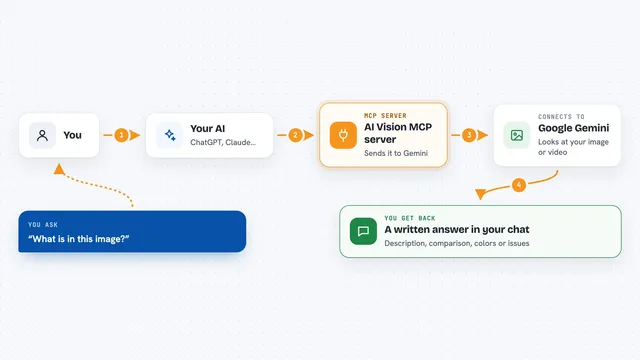
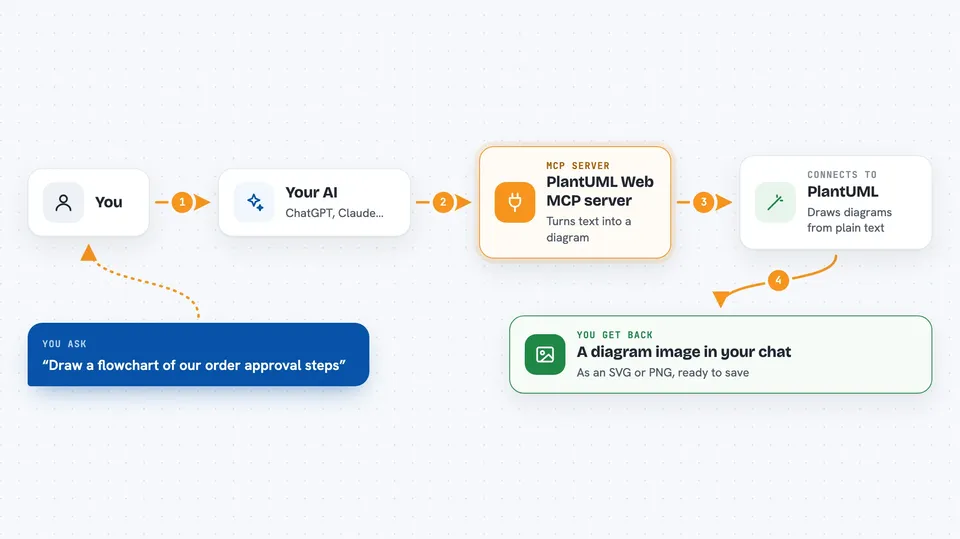
On its own, your AI can only chat. An MCP server is a small helper program that gives your AI a new skill or a connection to another tool. This one connects your AI to PlantUML, so when you ask for a diagram, the AI sends your text to PlantUML and brings back the picture. You do not need to learn any of the technical parts; you just ask in normal words.
What this MCP server does
You describe the diagram you want, or paste PlantUML code you already have. Your AI passes that to this helper, which talks to PlantUML behind the scenes. PlantUML draws the diagram and sends it back as an image, in SVG or PNG format. If your code has a mistake, the helper tells you what went wrong so you can fix it. You see the result right in your chat.
 Click to zoom
What you can do with it
- Turn a written description into a diagram image
- Check your PlantUML code and point out errors
- Make flowcharts, sequence diagrams, and other common diagram types
- Get your diagram back as an SVG or PNG file
- Fix a broken diagram by asking what is wrong
- Draw diagrams without installing PlantUML yourself
Try asking your AI
- “Draw a sequence diagram showing a user logging into a website”
- “Here is my PlantUML code, please check it for mistakes”
- “Make a flowchart for an order approval process and give me a PNG”
- “Turn this list of steps into a diagram I can put in my document”
What it gives back to you
You get back a diagram image, either as an SVG or a PNG, plus a short note about what was made. If you asked for a check, you get a clear answer saying whether the code is valid, and if not, the error messages explaining the problem. Everything shows up in the chat, so you can save the image or copy the code from there.
Before you start
What you need
- The Docker app, or Python with the project's requirements installed
- An MCP client such as the Claude desktop app
- The server running on your computer or network
Good to know
The server runs on your own machine or network, so only share its address with people you trust.
Install it with your AI
Add PlantUML Web MCP server to your AI, no technical skills needed
You don't install anything by hand. You copy one prompt, paste it into an AI that can work on your computer, and it checks, installs and connects the server for you, asking you when it needs something.
Sign in to get the install prompt
Members get a ready-made prompt that lets the Claude desktop app check PlantUML Web MCP server, install it and connect it for them, step by step. You don't need any technical skills: you copy, paste and answer a few questions. Your connected AI can also find and install any of the 4,361 MCP servers here for you.
Who it's for
People who write documentation, plan software, or draw flowcharts and want their AI to handle the diagram work.