MCP server · Developer tools
App Store Release MCP server
by rabdulsal
Lets your AI bump versions, upload builds to TestFlight, update store info, and submit your app for review.

This is a helper that lets your AI assistant walk through the App Store release steps for you, for iPhone, iPad, Mac, and other Apple apps. Instead of clicking around App Store Connect and running fastlane yourself, you ask in plain words and the AI does the steps. It is handy if you ship Apple apps and want the boring parts handled for you.
What is an MCP server? The 30-second version
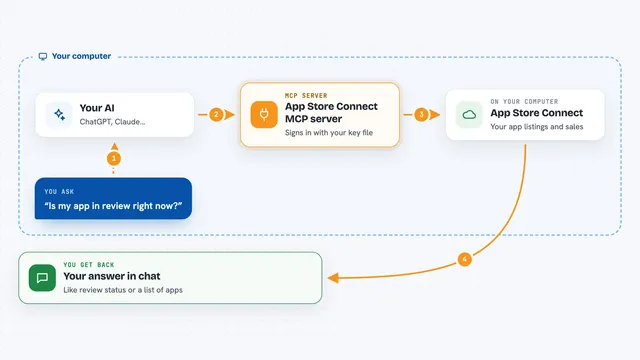
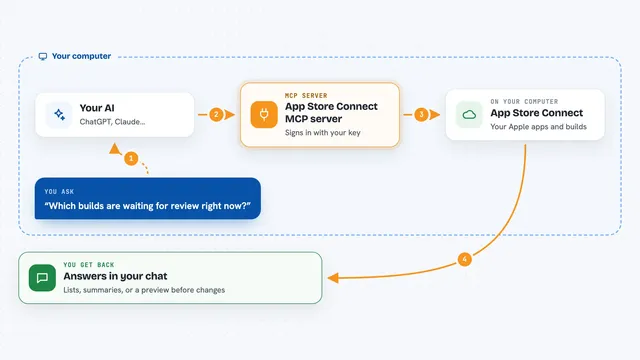
On its own, your AI can only chat. An MCP server is a small helper program that gives your AI a new skill or a connection to an app or service. This one connects your AI to your Apple app project and to App Store Connect, so it can look things up and take actions there when you ask. Think of it as a release pilot sitting between your chat and Apple's systems.
What this MCP server does
You tell your AI what you want, like bump the version or upload the build. The AI uses this helper, which talks to your Xcode project files and to App Store Connect. For uploads, it either runs your existing fastlane lane or sends an already-built .ipa file up to Apple. It can also update your store listing text and submit the app for review. You then see the results and the status right in the chat.
 Click to zoom
What you can do with it
- Check that your setup, credentials, and tools are working
- Bump the build number or set a new marketing version in your project files
- Upload a build to TestFlight using your fastlane lane
- Upload an already-built .ipa file without fastlane
- Check build processing states until they are ready
- Update your app description, keywords, what's new, and promo text
- Submit the build for App Store review
Try asking your AI
- “Run asc_doctor and tell me if anything is wrong”
- “Bump the version to 1.1.0 and upload a new build to TestFlight”
- “Upload the .ipa at ./build/app.ipa”
- “Update the what's new text and submit build 42 for review”
What it gives back to you
You get plain answers in the chat: status lines, version numbers, build lists, and job updates. For uploads, it gives you a job ID and then shows a short log tail as the job runs. When it changes metadata or submits for review, it tells you what it did. You can also ask for the current review state and recent builds at any time.
Before you start
What you need
- A Mac with Xcode command line tools installed
- An App Store Connect API key (.p8 file) with App Manager role
- fastlane installed and a lane that builds and uploads (only if you use the fastlane upload option)
- Your app's bundle identifier and project folder path
Good to know
Submitting for review is the point of no return for a release, and uploads or metadata changes affect your live App Store listing, so confirm before you say yes.
Install it with your AI
Add App Store Release MCP server to your AI, no technical skills needed
You don't install anything by hand. You copy one prompt, paste it into an AI that can work on your computer, and it checks, installs and connects the server for you, asking you when it needs something.
Sign in to get the install prompt
Members get a ready-made prompt that lets the Claude desktop app check App Store Release MCP server, install it and connect it for them, step by step. You don't need any technical skills: you copy, paste and answer a few questions. Your connected AI can also find and install any of the 4,361 MCP servers here for you.
Who it's for
iOS and macOS developers who release apps and want their AI to handle version bumps, TestFlight uploads, store text, and review submission.