MCP server · Social media
ScrapeBadger MCP server
Lets your AI look up Twitter/X profiles, tweets, followers, trends, lists and communities for you.

This is a small helper that connects your AI assistant to Twitter/X data through a service called ScrapeBadger. Once it is set up, you can just ask your AI things like who follows an account or what is trending, and it goes and finds the answer. It is handy for anyone who researches people, brands or topics on Twitter without wanting to click around the site all day.
What is an MCP server? The 30-second version
On its own, your AI can only chat with you using what it already knows. An MCP server is a small helper program that gives your AI a new skill or a connection to an outside service. This one connects your AI to ScrapeBadger, which fetches Twitter/X data. So when you ask about a Twitter account or a trend, your AI asks this helper, and the helper brings the information back into your chat.
What this MCP server does
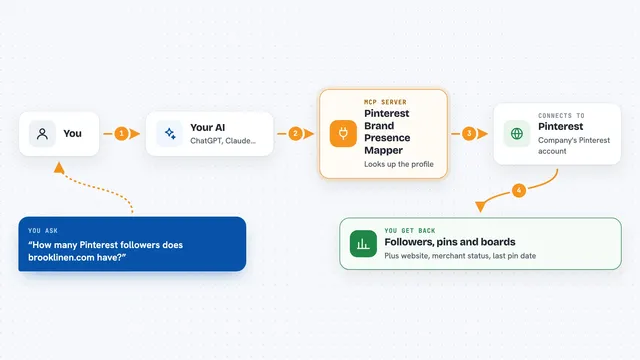
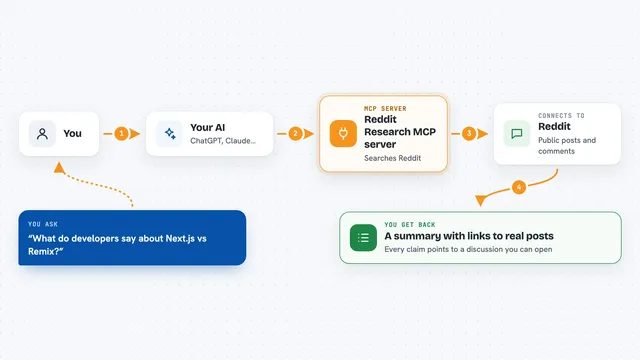
You ask your AI a question about Twitter/X in normal words. Your AI passes that request to this helper program running quietly in the background. The helper talks to the ScrapeBadger service, which looks up the profile, tweet, follower list, trend or community you asked about. The answer comes back and your AI shows it to you in the chat, often as a tidy list or table. You never have to open Twitter yourself or copy anything by hand.
 Click to zoom
What you can do with it
- Look up a Twitter/X profile by username, including bio and follower counts
- Search for tweets about a topic or from a specific account
- See who follows an account and who that account follows
- Check what is trending globally or in a specific place
- Search for Twitter lists and read the tweets inside them
- Find Twitter communities and see their details
- Search for places on Twitter by name
Try asking your AI
- “Get the profile of @elonmusk”
- “Search for tweets about AI agents from the last week”
- “What is trending on Twitter right now?”
- “Compare the follower counts of Stripe, Square and PayPal on Twitter”
What it gives back to you
You get back plain answers in the chat: profile details, lists of tweets, follower counts, trending topics, or community and list information. Your AI often formats these as short summaries, bullet lists or small tables so they are easy to read. If something is not found or your key is wrong, you get a short error message explaining what happened.
Before you start
What you need
- A ScrapeBadger account and API key (a kind of password for apps; you get one when you sign up at scrapebadger.com)
- The uv tool installed on your computer (the README shows a one-line install command)
- An AI app that supports MCP, such as Claude Desktop, Cursor, Windsurf or VS Code with Copilot
Good to know
This service uses your ScrapeBadger credits for each request, so heavy use can use up your plan or cost money, and it only reads public Twitter/X data, not private accounts.
Install it with your AI
Add ScrapeBadger MCP server to your AI, no technical skills needed
You don't install anything by hand. You copy one prompt, paste it into an AI that can work on your computer, and it checks, installs and connects the server for you, asking you when it needs something.
Sign in to get the install prompt
Members get a ready-made prompt that lets the Claude desktop app check ScrapeBadger MCP server, install it and connect it for them, step by step. You don't need any technical skills: you copy, paste and answer a few questions. Your connected AI can also find and install any of the 4,361 MCP servers here for you.
Who it's for
People who research Twitter/X for work, like marketers, social media managers, recruiters, journalists and analysts, will get the most out of this.