MCP server · Customer communication
Viber MCP server
by serhiizghama
Lets your AI send Viber messages, media, files, and broadcasts through your Viber bot.

This is a small helper that connects your AI assistant to a Viber bot. Once it is set up, you can ask your AI in plain words to send a message, a picture, or a location to someone on Viber. It is handy if you run a Viber bot for work or a community and want to control it without clicking through a dashboard.
What is an MCP server? The 30-second version
On its own, your AI can only chat with you. An MCP server is a small helper program that gives your AI a new skill or a connection to an app or service. This one connects your AI to Viber, so it can send messages and look up details through your Viber bot when you ask. You set it up once, and after that your AI just uses it in the background.
What this MCP server does
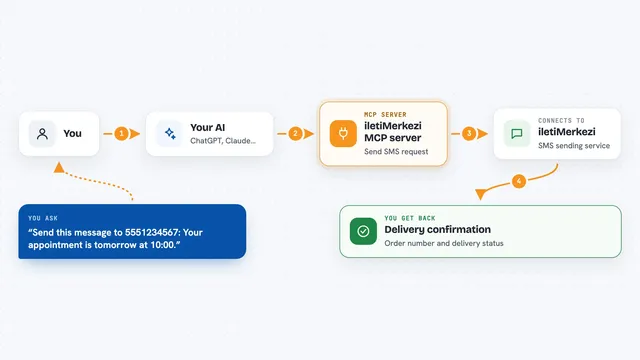
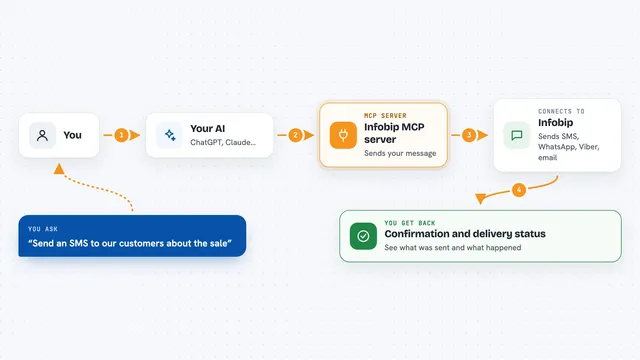
You type a request in your AI chat, like asking it to send a message to a Viber user. The AI passes that request to this helper. The helper talks to the Viber Bot service over the internet using your bot's token. Viber delivers the message, and the helper sends the result back to your AI, which shows it to you in the chat. It can also fetch your bot's profile, check who is online, and set up webhooks.
 Click to zoom
What you can do with it
- Send a text message to a Viber user
- Send a picture, video, or file by sharing a link
- Send a location or a contact card
- Broadcast one message to up to 300 users
- Check your bot's profile and subscriber count
- Look up a user's details or online status
- Set or remove a webhook for your bot
Try asking your AI
- “Send a Viber message to user 0123456789 saying the meeting moved to 3pm”
- “Broadcast this announcement to all my Viber subscribers: we are open tomorrow”
- “Send this picture link to user 0123456789 with the caption new product”
- “Check how many subscribers my Viber bot has”
What it gives back to you
You get a short confirmation in the chat, like a message ID or a success note. When you ask for account or user details, it shows the profile info or online status as text. If something goes wrong, you see a plain error message explaining what happened.
Before you start
What you need
- A Viber bot account and its auth token from the Viber Admin Panel
- Node.js 20 or newer on your computer
- An MCP-compatible app like Claude Desktop, Claude Code, Cursor, or VS Code with Copilot
Good to know
It can send real messages to real people on your behalf, so double-check who you are messaging and what you are sending before you hit enter.
Install it with your AI
Add Viber MCP server to your AI, no technical skills needed
You don't install anything by hand. You copy one prompt, paste it into an AI that can work on your computer, and it checks, installs and connects the server for you, asking you when it needs something.
Sign in to get the install prompt
Members get a ready-made prompt that lets the Claude desktop app check Viber MCP server, install it and connect it for them, step by step. You don't need any technical skills: you copy, paste and answer a few questions. Your connected AI can also find and install any of the 4,609 MCP servers here for you.
Who it's for
People who run a Viber bot for a business, community, or support team and want to control it by chatting with an AI.