MCP server · Productivity
Wanderlog MCP server
by shaikhspeare
Plan and edit your Wanderlog trips by chatting with your AI instead of clicking around the site.

This is a small helper that connects your AI assistant to your Wanderlog account. Once it is set up, you can describe a trip in plain words and the AI will build the itinerary for you. It is handy for anyone who plans trips and would rather talk than click.
What is an MCP server? The 30-second version
On its own, your AI can only chat. It cannot see your Wanderlog trips or change them. An MCP server is a small helper program that gives your AI a new skill, in this case a connection to Wanderlog. Once it is connected, the AI can look up your trips and make changes there when you ask.
What this MCP server does
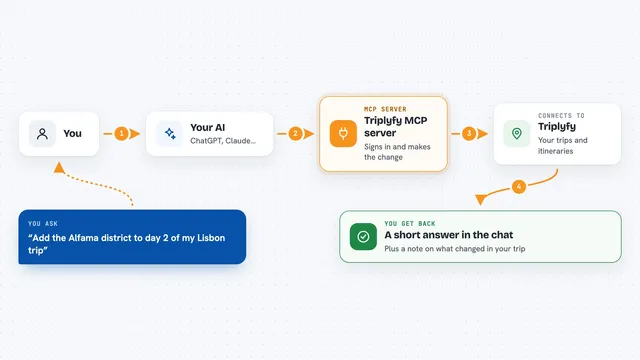
You ask your AI something like "build me a 5-day Tokyo itinerary." The AI uses this helper to talk to Wanderlog on your behalf. The helper searches places, adds them to the right days, drops in notes, hotels, transit legs and checklists. When it is done, you open Wanderlog and your trip is already filled in.
 Click to zoom
What you can do with it
- List all the trips in your Wanderlog account
- Build a full day-by-day itinerary from a short description
- Add places, hotels, ferries, buses, trains and rental cars
- Add notes between places with tips and booking info
- Create pre-trip and per-day checklists
- Log and edit budget expenses for a trip
- Change trip dates or rename a day's heading
- Remove a place or note you no longer want
Try asking your AI
- “What trips do I have in Wanderlog?”
- “Create a 7-day itinerary for Lisbon starting June 1 with restaurants, a day trip and a hotel near the waterfront.”
- “Add a day trip to Sintra on day 3 of my Lisbon trip.”
- “Move my Rome trip back by two weeks and give me the shareable link.”
What it gives back to you
You get answers in the chat, like a list of your trips or a summary of a day. When it makes changes, it tells you what it added, moved or removed. You can then open Wanderlog and see the trip already updated.
Before you start
What you need
- A Wanderlog account
- Your Wanderlog session cookie (a long code copied from your browser; the README shows how)
- Node.js 22 or newer installed on your computer
- An MCP-compatible app like Claude Desktop, Claude Code, Cursor or VS Code
Good to know
It can change and delete things in your Wanderlog trips, so review what the AI did before sharing the trip with others.
Install it with your AI
Add Wanderlog MCP server to your AI, no technical skills needed
You don't install anything by hand. You copy one prompt, paste it into an AI that can work on your computer, and it checks, installs and connects the server for you, asking you when it needs something.
Sign in to get the install prompt
Members get a ready-made prompt that lets the Claude desktop app check Wanderlog MCP server, install it and connect it for them, step by step. You don't need any technical skills: you copy, paste and answer a few questions. Your connected AI can also find and install any of the 4,609 MCP servers here for you.
Who it's for
Anyone who plans trips in Wanderlog and would rather describe what they want than click through the site.