MCP server · Developer tools
Shiped MCP server
by shiped-app
Publish the web pages your AI writes to a real public link you can share.

This is a small helper that lets your AI put a web page it wrote online, at a real address you can send to anyone. It is handy if you use ChatGPT or Claude to make little pages and you have no idea how to get them onto the internet.
What is an MCP server? The 30-second version
On its own, your AI can only chat. An MCP server is a small helper program that gives your AI a new skill or a connection to an app or service. This one connects your AI to Shiped, a place that hosts web pages. Once it is connected, your AI can send the page it made to Shiped and get back a public link.
What this MCP server does
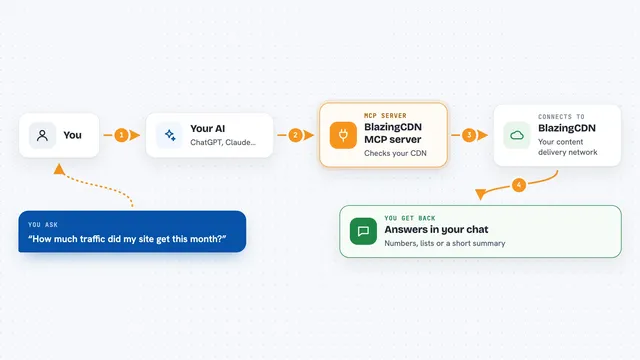
You ask your AI to build a small web page, like a landing page or a simple form. Then you ask it to put that page online. Your AI hands the files to this helper, the helper sends them to Shiped, and Shiped puts them on the internet. A moment later your AI tells you the web address where the page now lives. You can open that address in your browser or paste it into a message.
 Click to zoom
What you can do with it
- Publish an HTML, CSS and JavaScript page your AI just wrote
- Get back a public HTTPS link you can share with anyone
- Update a page you published earlier
- See the projects you have on Shiped
- Remove a project you no longer need
Try asking your AI
- “Turn this into a simple one-page site and put it online for me”
- “Publish this page to Shiped and give me the link”
- “Update my Shiped project with the new version of the page”
- “Show me the projects I have on Shiped”
What it gives back to you
You get a short answer in the chat, usually with the public web address of your page. You can click that link or copy it. If you asked to see your projects, you get a list of them. If you asked to remove one, it tells you it is gone.
Before you start
What you need
- Node.js installed on your computer (the free program that runs this helper)
- A Shiped account at shiped.app
- An MCP-compatible app, like the Claude desktop app
Good to know
It can put pages on the public internet and can also remove projects, so check the link and the project name before you say yes.
Install it with your AI
Add Shiped MCP server to your AI, no technical skills needed
You don't install anything by hand. You copy one prompt, paste it into an AI that can work on your computer, and it checks, installs and connects the server for you, asking you when it needs something.
Sign in to get the install prompt
Members get a ready-made prompt that lets the Claude desktop app check Shiped MCP server, install it and connect it for them, step by step. You don't need any technical skills: you copy, paste and answer a few questions. Your connected AI can also find and install any of the 4,066 MCP servers here for you.
Who it's for
People who make small web pages with AI and want a real link to share, without learning how hosting works.