MCP server · Finance and crypto
Signal8 MCP server
by signal8ai
Lets your AI pull SEC filing data, insider trades, dilution risk scores and stock screens for you.

This is a helper that connects your AI assistant to Signal8, a service that reads and organizes SEC filings and stock market data. Once it is set up, you can just ask questions in plain English about companies, insiders, ownership and dilution risk, and your AI will go fetch the numbers. It is handy for anyone who follows public companies, from analysts to curious investors.
What is an MCP server? The 30-second version
On its own, your AI can only chat with you using what it already learned. An MCP server is a small helper program that gives your AI a new skill or a connection to an outside service. This one connects your AI to Signal8, which holds SEC filing data, insider trades, ownership records and stock market information. So when you ask about a company, your AI can look it up there and bring the answer back to you.
What this MCP server does
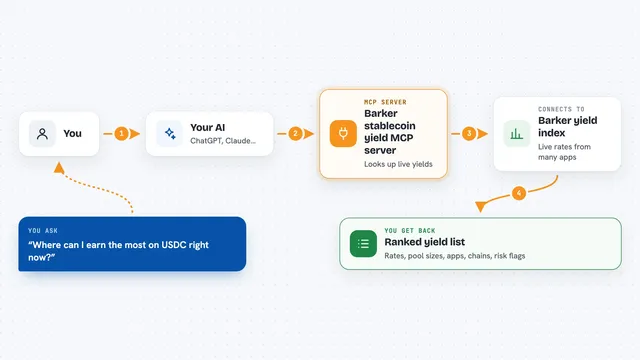
You ask your AI a question, like what a company's dilution risk looks like or who has been buying its stock. Your AI passes that request to this helper, which talks to Signal8's data service. Signal8 looks through SEC filings, market data and ownership records, then sends the results back. Your AI turns those results into a plain answer, a list or a small table right in your chat. You never have to open a filing or a spreadsheet yourself.
 Click to zoom
What you can do with it
- Look up a company's profile, quote and financials
- Check the Dilution Pressure Score for a stock
- See insider trades and cluster buying patterns
- Find institutional holders from 13F filings
- Search recent SEC filings and material events
- Screen companies with dilution-aware filters
- Check Nasdaq or NYSE listing deficiencies
- Review ETF holdings, sectors and performance
Try asking your AI
- “What is Apple trading at right now?”
- “Show me the dilution risk score for a small biotech I follow”
- “Who are the top institutional holders of Tesla?”
- “Screen for companies with high dilution pressure and low float”
- “What were the top gainers in the market today?”
What it gives back to you
You get back answers in your chat: numbers, short lists, small tables or short summaries. For example, a quote comes back as a price with the day's change, and a dilution check comes back as a score from 0 to 100 with a short breakdown. Insider or ownership questions come back as lists of names, dates and amounts. Screening questions come back as a list of matching tickers.
Before you start
What you need
- A Signal8 account (sign up at signal8.ai/mcp)
- A Signal8 API key from your account settings (a kind of password for apps)
- Node.js installed on your computer if you run it yourself
- An MCP-compatible app like Claude Desktop or Cursor
Good to know
Each request uses credits from your Signal8 account, and some tools cost many more credits than others, so keep an eye on your usage.
Install it with your AI
Add Signal8 MCP server to your AI, no technical skills needed
You don't install anything by hand. You copy one prompt, paste it into an AI that can work on your computer, and it checks, installs and connects the server for you, asking you when it needs something.
Sign in to get the install prompt
Members get a ready-made prompt that lets the Claude desktop app check Signal8 MCP server, install it and connect it for them, step by step. You don't need any technical skills: you copy, paste and answer a few questions. Your connected AI can also find and install any of the 4,066 MCP servers here for you.
Who it's for
Investors, equity analysts, finance students and anyone who follows public companies and wants quick answers from SEC filings without digging through them by hand.