MCP server · Coding
Edict MCP server
by Sowiedu
Lets your AI write, check and run small programs safely, without you touching any code.

Edict is a tool that lets your AI write small computer programs and then check them for mistakes before running them. It is made for AI assistants, not for people who type code by hand. It is handy if you want your AI to do a small calculation or task in a safe, controlled way.
What is an MCP server? The 30-second version
On its own, your AI can only chat with you. An MCP server is a small helper program that gives your AI a new skill or a connection to another tool. This one gives your AI a way to build and test tiny programs. When you ask for something, your AI writes the program in a structured format, and this helper checks it and runs it for you.
What this MCP server does
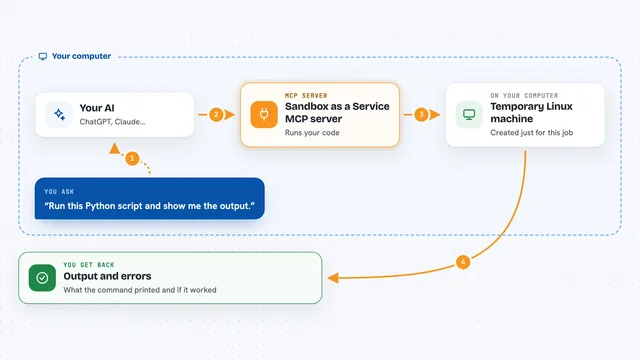
You ask your AI for something, like a small calculation or a bit of logic. Your AI writes a program in a special structured format that this helper understands. The helper then checks the program step by step: is it written correctly, do the types match, are the rules followed, and are the promises in the program actually true. If something is wrong, it sends back a clear error message so your AI can fix it and try again. Once everything passes, the helper turns the program into a safe, sandboxed format and runs it, then gives you the result.
 Click to zoom
What you can do with it
- Ask your AI to write and test a small program for a calculation
- Have your AI check a program for mistakes before running it
- Run a program in a safe sandbox that cannot touch your files or network
- Get clear error messages when a program has a problem
- See examples of working programs to learn from
- Package a working program so it can be reused later
Try asking your AI
- “Write a small program that adds two numbers and run it”
- “Check this program for errors and tell me what is wrong”
- “Show me an example of a program that prints hello”
- “Run a program that calculates the average of a list of numbers”
What it gives back to you
You get back the result of the program, like a number or a short message, shown right in your chat. If the program has a problem, you get a clear explanation of what went wrong and where. Sometimes you also get a list of suggestions or examples to help fix it.
Before you start
What you need
- The Claude desktop app or another AI tool that supports MCP servers
- Node.js 18 or newer if you run it with npx
- Docker if you prefer to run it in a container
Good to know
This tool runs programs in a safe sandbox, but you should still only run programs you trust or that come from your AI after it checks them.
Install it with your AI
Add Edict MCP server to your AI, no technical skills needed
You don't install anything by hand. You copy one prompt, paste it into an AI that can work on your computer, and it checks, installs and connects the server for you, asking you when it needs something.
Sign in to get the install prompt
Members get a ready-made prompt that lets the Claude desktop app check Edict MCP server, install it and connect it for them, step by step. You don't need any technical skills: you copy, paste and answer a few questions. Your connected AI can also find and install any of the 4,361 MCP servers here for you.
Who it's for
People who want their AI to do small, safe calculations or logic tasks without writing code themselves.