MCP server · Privacy
EXIF MCP server
by stass
Lets your AI read hidden details inside your photos, like camera, date, and location.

This is a small helper program that lets your AI assistant look inside the details of your photos. Those details are called metadata, and they include things like which camera took the picture, when it was taken, and where. It is handy if you have a big pile of photos and want to know more about them.
What is an MCP server? The 30-second version
On its own, your AI can only chat with you. An MCP server is a small helper program that gives your AI a new skill or a connection to something. This one connects your AI to the hidden information stored inside image files, so it can look up those details for you when you ask. You do not need to be technical to use it once it is set up.
What this MCP server does
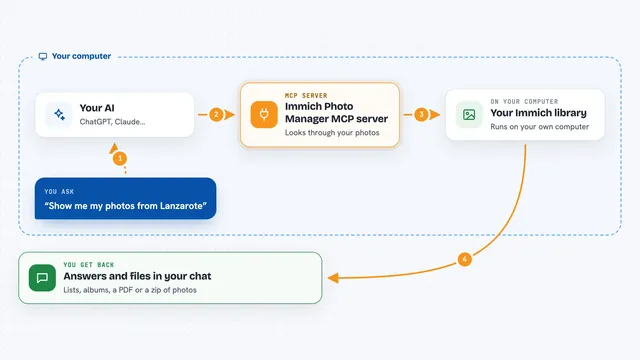
You ask your AI something about your photos, like which camera you used most. The AI passes your request to this helper program. The helper opens the image files and reads the hidden details inside them. Then it sends those details back to the AI, and the AI explains them to you in plain words. It all happens on your own computer, with no internet needed.
 Click to zoom
What you can do with it
- Find out which camera and lens took each photo
- See the date and time a photo was taken
- Get the GPS location where a photo was shot
- Check the orientation of an image (whether it is sideways or upside down)
- Look at color profile and other technical details
- Pull out a small preview thumbnail saved inside the file
- Compare details across many photos at once
Try asking your AI
- “Which camera did I use most in my photo folder?”
- “What date and time was this picture taken?”
- “Where was this photo taken?”
- “Show me the details of all the photos in this folder”
What it gives back to you
It gives back the details it found, like camera name, date, location, and orientation. In the chat, your AI will show these as a list or a short summary. If something is missing, it will tell you that too. It does not change your photos; it only reads them.
Before you start
What you need
- A computer with Node.js installed
- The Claude desktop app or another AI app that supports MCP servers
Install it with your AI
Add EXIF MCP server to your AI, no technical skills needed
You don't install anything by hand. You copy one prompt, paste it into an AI that can work on your computer, and it checks, installs and connects the server for you, asking you when it needs something.
Sign in to get the install prompt
Members get a ready-made prompt that lets the Claude desktop app check EXIF MCP server, install it and connect it for them, step by step. You don't need any technical skills: you copy, paste and answer a few questions. Your connected AI can also find and install any of the 4,361 MCP servers here for you.
Who it's for
People who have lots of photos and want to know more about them, like photographers, travelers, or anyone organizing a photo collection.