MCP server · Coding
wasmagent Code Mode MCP server
Lets your AI run small sandboxed scripts that call many tools at once, so it uses less room in the chat.

This is a helper for developers who build their own AI agents and want those agents to reach many tools without flooding the chat with tool descriptions. It turns a long list of tools into just two: one to search docs and one to run code. If you are an everyday office user, this one is probably not for you, but it is useful to know what it does.
What is an MCP server? The 30-second version
On its own, your AI can only chat. An MCP server is a small helper program that gives your AI a new skill or a connection to an app or service. This particular helper gives your AI a sandbox, which is a safe, closed-off place where it can run short scripts. Instead of handing your AI a giant list of tools, this helper hands it two: a docs search and a code runner, and the AI writes a small script to call the tools it needs.
What this MCP server does
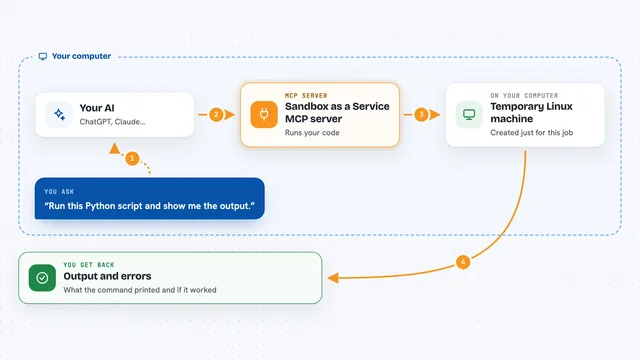
You ask your AI something that needs several tools. The AI writes a short script and sends it to this helper. The helper runs the script inside a sandbox, which is a locked room with rules about what it can touch. Inside that room, the script can call the other tools you registered. When the script finishes, the helper sends the result back to your AI, and your AI shows you the answer.
 Click to zoom
What you can do with it
- Search the documentation of your registered tools
- Run a short script that calls several tools in one go
- Keep the chat small by hiding a long tool list behind two tools
- Limit what the script can reach, like network and files
- Cap how long a script can run and how much memory it uses
- Use the same helper over different connections, like a local app or a web worker
Try asking your AI
- “Look up how to use the weather tool, then get the forecast for Paris and Berlin and compare them”
- “Find the docs for our invoice tool, then fetch the last three invoices and total them”
- “Search our tool docs for anything about customers, then list the top five by spend”
- “Run a script that checks our calendar tool for free slots tomorrow and suggests two times”
What it gives back to you
You get back whatever the script produced: a list, a number, a short summary, or a small block of text. It shows up in the chat as a normal reply from your AI. If the script tried something the rules do not allow, you get a clear error message instead. You do not see the script itself unless your AI chooses to show it.
Before you start
What you need
- Node.js 18 or newer
- A small Node script that registers your own tools
- A kernel package, like the QuickJS one, to run the sandbox
Good to know
The scripts the AI writes run inside a sandbox, but you should still set the rules yourself, like which sites and files are allowed, because a mistake there could let a script reach things you did not mean it to.
Install it with your AI
Add wasmagent Code Mode MCP server to your AI, no technical skills needed
You don't install anything by hand. You copy one prompt, paste it into an AI that can work on your computer, and it checks, installs and connects the server for you, asking you when it needs something.
Sign in to get the install prompt
Members get a ready-made prompt that lets the Claude desktop app check wasmagent Code Mode MCP server, install it and connect it for them, step by step. You don't need any technical skills: you copy, paste and answer a few questions. Your connected AI can also find and install any of the 4,609 MCP servers here for you.
Who it's for
Developers and technical teams who build their own AI agents and want to save room in the chat when many tools are involved.