MCP server · Security
SealMyApp security tools
by toby7979
Check if a key is safe to expose, audit Supabase rules, and run a pre-launch security checklist.
This is a small helper that gives your AI assistant a set of security checks for apps you built with tools like Lovable, Bolt, Cursor, Replit or v0. It can tell you whether a key is safe to show in your app, hand you SQL to check your Supabase rules, and walk you through a pre-launch checklist. It is handy if you are not a developer but you have shipped or are about to ship an app.
What is an MCP server? The 30-second version
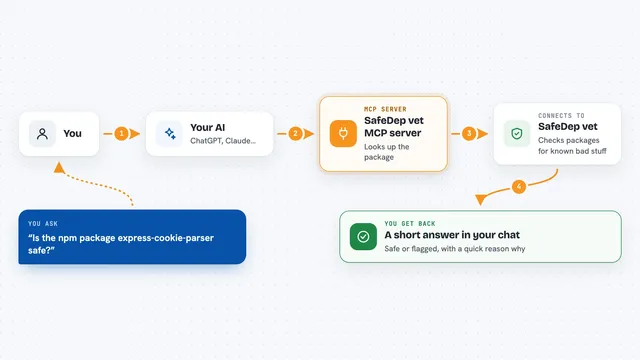
On its own, your AI can only chat with you. An MCP server is a small helper program that gives your AI a new skill or a connection to something useful. This one gives your AI a set of offline security checks for your app. When you ask a question about keys or Supabase rules, your AI calls this helper and gets a real answer back.
What this MCP server does
You ask your AI something like whether a key is safe to put in your frontend. Your AI passes that to this helper. The helper looks at the format of the key and decides if it is meant to be public or if it is a secret. It also has ready-made SQL you can run in Supabase to find tables with weak rules, plus templates for safer rules and a pre-launch checklist. Everything runs on your own computer and makes no network calls.
What you can do with it
- Check whether a key is safe to expose or should be rotated
- Get SQL to audit Row Level Security in your Supabase project
- Generate owner-only policy templates for common tables
- Run a pre-launch security checklist for your builder
- Get instructions for a free ownership-verified scan of your app
Try asking your AI
- “Is a key starting sk_live_ safe in my frontend?”
- “Give me SQL to audit RLS in my Supabase project”
- “Run the pre-launch security checklist for my Lovable app”
- “Show me a safe RLS policy template for a profiles table”
What it gives back to you
You get short, plain answers in the chat. For a key, it tells you whether it is public by design or secret, and what to do next. For Supabase, it gives you SQL you can copy and run, plus how to read the results. For the checklist, it gives you a list of things to check before you launch.
Before you start
What you need
- Node.js 20 or newer
- git
- The Claude desktop app, Claude Code, Cursor or VS Code
Good to know
Only paste a prefix of a key, never the whole thing, because whatever you type goes into your AI chat and is handled by your AI provider.
Install it with your AI
Add SealMyApp security tools to your AI, no technical skills needed
You don't install anything by hand. You copy one prompt, paste it into an AI that can work on your computer, and it checks, installs and connects the server for you, asking you when it needs something.
Sign in to get the install prompt
Members get a ready-made prompt that lets the Claude desktop app check SealMyApp security tools, install it and connect it for them, step by step. You don't need any technical skills: you copy, paste and answer a few questions. Your connected AI can also find and install any of the 4,609 MCP servers here for you.
Who it's for
People who build apps with AI tools like Lovable, Bolt, Cursor, Replit or v0 and want a quick security sanity check before launching.