MCP server · Security
OpSecForge MCP server
Lets your AI read and check files without handing it your passwords, keys or tokens.
This is a small helper program that runs on your own computer and works with AI coding tools like Claude Code, Codex and Cursor. It lets the AI look at a file or check some text while keeping the secret parts hidden from the AI. It is handy if you use an AI assistant on real work projects that contain passwords, keys or tokens.
What is an MCP server? The 30-second version
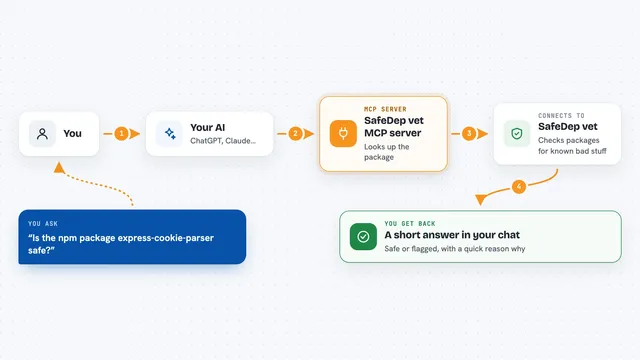
On its own, your AI can only chat with you. An MCP server is a small helper program you connect to it that gives it one new skill. This helper gives your AI a safe way to work with files and secrets on your machine, without sending anything over the internet. So when you ask your AI to look at a config file, it can use this helper to see the file with the sensitive parts blanked out, instead of reading the raw file itself.
What this MCP server does
You ask your AI to check a file or some text. The AI calls this helper on your computer. The helper opens the file, finds things that look like secrets, and replaces them with the word REDACTED. It then tells the AI what kinds of secrets it found and on which lines, but never the actual values. You get a safe version of the file and a short summary in the chat.
What you can do with it
- Read a file with secrets blanked out instead of the real values
- Check your staged git changes for secrets before you commit
- Redact a block of text you already have, before sharing it
- Check whether a webhook signature matches, without exposing the secret
- Look inside a JWT token to see its claims and any warning signs
- Get the checksum of a file to confirm it has not changed
- Block your AI from directly opening .env and private key files (Claude Code only)
What it gives back to you
You get back a redacted copy of the file or text, with secret values replaced by REDACTED. Alongside it, the helper reports the type of each secret it found, how many, and the line numbers in the original file. Some tools also give you a short check result, like match or no match for a signature, or the claims inside a JWT. It also tells you if anything looked off, such as a reformatted file body.
Before you start
What you need
- Node.js 20 or newer on your computer
- An AI tool that supports MCP servers, such as Claude Code, Codex or Cursor
- For verify_webhook and inspect_jwt: the secret or token saved as an environment variable on your machine, not typed into the chat
Good to know
The secret-finding is a best guess and can miss things, so always look over the redacted result before you share it, and if a real secret has ever reached an AI chat, a log or a commit, change that secret.
Install it with your AI
Add OpSecForge MCP server to your AI, no technical skills needed
You don't install anything by hand. You copy one prompt, paste it into an AI that can work on your computer, and it checks, installs and connects the server for you, asking you when it needs something.
Sign in to get the install prompt
Members get a ready-made prompt that lets the Claude desktop app check OpSecForge MCP server, install it and connect it for them, step by step. You don't need any technical skills: you copy, paste and answer a few questions. Your connected AI can also find and install any of the 4,609 MCP servers here for you.
Who it's for
Developers and anyone using an AI coding assistant on projects that contain passwords, API keys or tokens.