AI agent for crm managers
Address Standardization Agent
A clean address file where each address is verified or flagged, with duplicates found
What it does
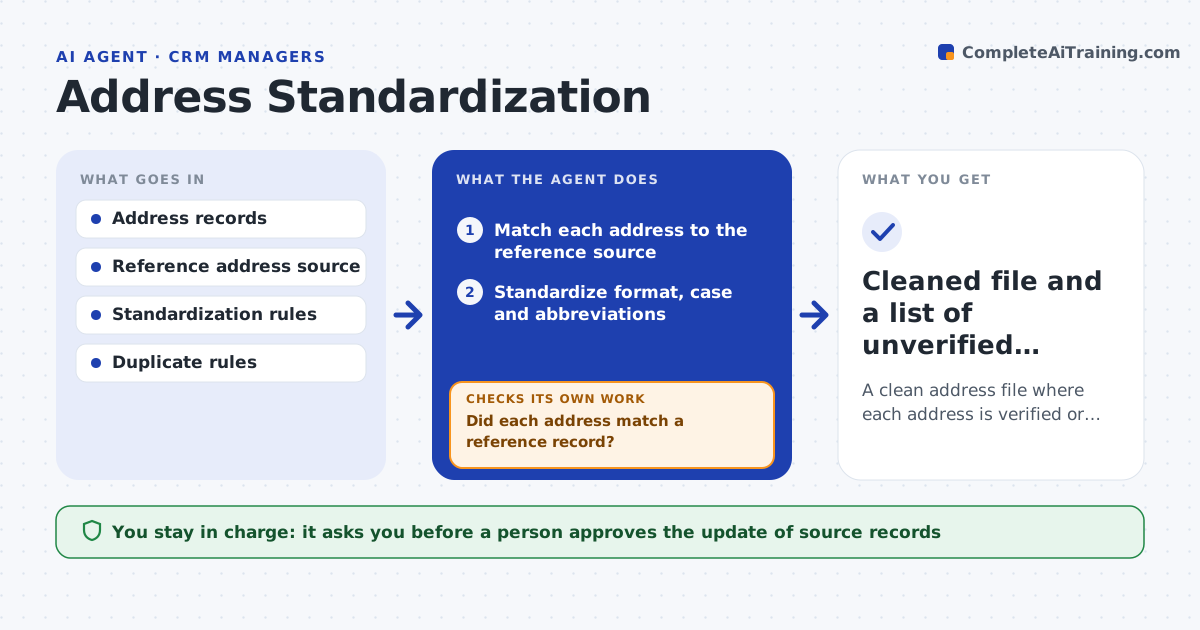
Inconsistent addresses cause returned mail and failed matches between systems. This agent standardizes addresses against a reference source. It flags ones it cannot verify and tries common variants, such as abbreviations and unit numbers. After changes, it rechecks the file for new duplicates, since two different spellings often turn out to be the same place. It keeps the original value next to the standardized one so nothing is lost. A person approves the update of source records. Edge case: two records for the same house, one with Apt 2 and one with Unit 2, so the agent flags them as a possible duplicate.
How it works
Follow the arrows from top to bottom. The orange dashed arrow is the loop: when a check fails, the agent goes back and tries again.
Read the steps as a list
- Address file is ready for cleaning
- Match each address to the reference source
- Standardize format, case and abbreviations
- Did each address match a reference record?If not: try variants such as unit forms and spelling, then flag what still fails. Back to step 2.
- Keep the original and the standardized value together
- Search for duplicates created by the changes
- Are possible duplicates reviewed and none left unexplained?If not: list them for a person to review. Back to step 6.
- A person approves the update of source recordsThe agent waits here for your OK.
- Write the approved values to the source records
- Cleaned file and a list of unverified addresses
How it decides
An address is standardized when it matches a reference record. Unmatched addresses are tried with variants and then flagged.
- Match first, standardize second
- Flag addresses with no reference match
- Treat records at the same address and name as a possible duplicate
- Keep the original value
Make it yours
Every agent is a starting point. You choose these settings for your own situation.
- Reference source
- Abbreviation rules
- Duplicate match rules
- Country settings
What keeps you in control
It always asks you first
- A person approves the update of source records
Hard limits
- Never overwrites source records without approval
- Never deletes the original address
It stops when
- Done: all addresses are verified or flagged and the update is approved
- Stop: the reference source is not available
Set it up
We guide you through the set-up, step by step
Members get the full set-up guide for this agent. No technical skills needed: you copy, paste and upload.
- One set of instructions to paste into your AI, with the clicks for ChatGPT, Claude, Microsoft 365 Copilot, Gemini and Grok
- The agent then walks you through connecting your own data, one source at a time
- A downloadable copy with the flow chart, the rules and the full guide