AI agent for insurance agency managers
Agency Cyber and Data Security Review Agent
Close every security gap against the carrier and regulator checklist, with proof, each quarter
What it does
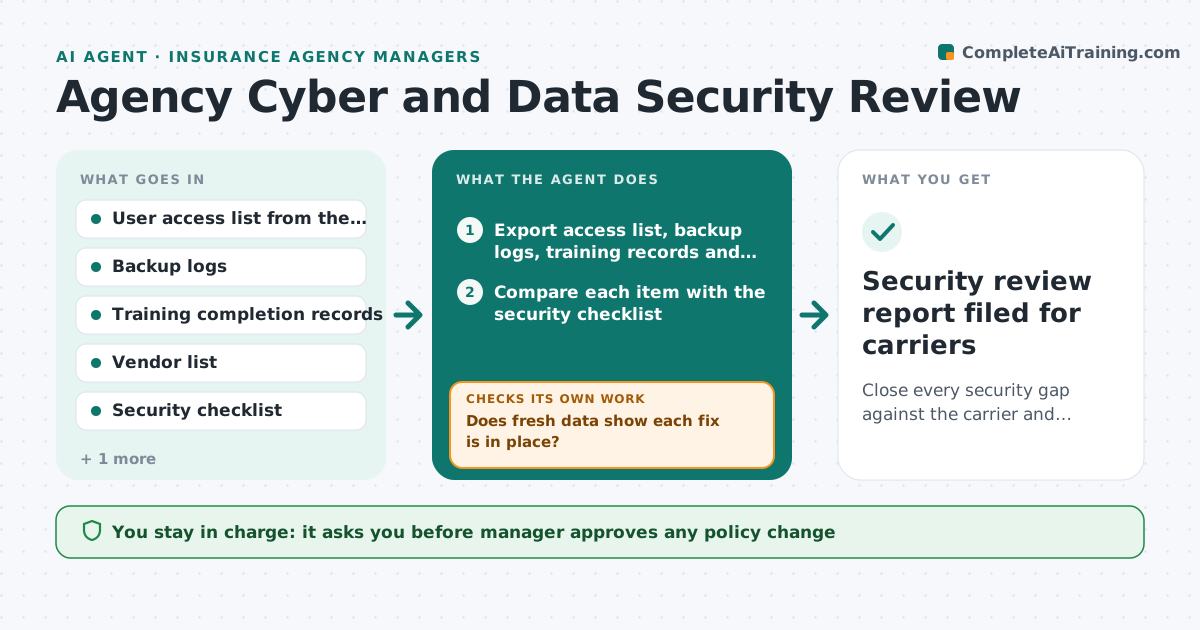
Carriers and regulators expect the agency to prove who can open client files, that backups work, that staff finished security training and that vendors are vetted. Today that proof lives in four different places and is checked once a year in a panic. This agent runs the review every quarter. It exports the user access list, backup logs, training records and vendor list, then checks each against the security checklist. It sorts gaps by risk, assigns each fix to a named owner with a due date and tracks progress. After fixes it pulls fresh data and checks again, reopening anything still wrong. The manager decides on policy and vendor changes. Edge case: a former producer still has an active login. The agent marks it critical, asks IT to disable it, then confirms from the new access export.
How it works
Follow the arrows from top to bottom. The orange dashed arrow is the loop: when a check fails, the agent goes back and tries again.
Read the steps as a list
- Quarter starts or carrier questionnaire arrives
- Export access list, backup logs, training records and vendor list
- Compare each item with the security checklist
- Rank gaps by risk to client data
- Assign each fix to an owner with a due date and send a reminder
- Does fresh data show each fix is in place?If not: Reopen the gap, note what is still missing and extend with a manager flag. Back to step 2.
- Check vendors for current security attestations and contract terms
- Does every vendor with client data have current proof?If not: Request the missing attestation and flag the vendor as a risk. Back to step 7.
- Manager approves policy and vendor changesThe agent waits here for your OK.
- Security review report filed for carriers
How it decides
It rates each gap by data exposure and carrier requirement, so open logins and failed backups come before late training. A fix counts only when fresh data shows it.
- A login for someone who left is critical and must be fixed within 24 hours
- A backup that has not completed in 7 days is high risk
- Training overdue by more than 30 days goes to the manager
- A vendor without a security attestation in the last 12 months is flagged
Make it yours
Every agent is a starting point. You choose these settings for your own situation.
- Quarterly review date and reminder lead time
- Risk ranking weights (default: data exposure first)
- Days before overdue training escalates (default 30)
- Which carrier checklists to apply
- Who receives gap assignments
What keeps you in control
It always asks you first
- Manager approves any policy change
- Manager approves adding or removing a vendor
Hard limits
- Never changes access or settings itself, only reports and assigns
- Does not copy client data into its report
It stops when
- Done: all gaps closed and proven by fresh data
- Stop: a suspected breach appears, hand to the manager at once
Set it up
We guide you through the set-up, step by step
Members get the full set-up guide for this agent. No technical skills needed: you copy, paste and upload.
- One set of instructions to paste into your AI, with the clicks for ChatGPT, Claude, Microsoft 365 Copilot, Gemini and Grok
- The agent then walks you through connecting your own data, one source at a time
- A downloadable copy with the flow chart, the rules and the full guide