AI agent for insurance agency managers
Agency Staff Production and Service Capacity Agent
Keep the workload per account manager within capacity so response times stay on target
What it does
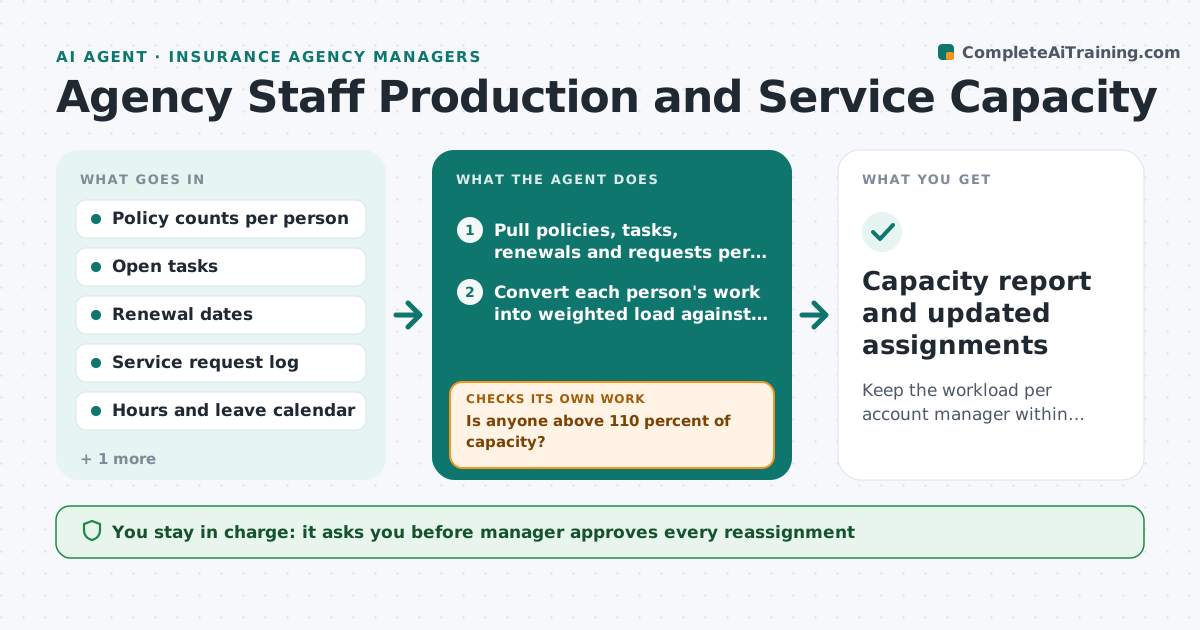
One account manager drowns in renewals and certificate requests while another has quiet weeks, and the manager only notices when a client complains. This agent measures load every week. It counts policies, open tasks, renewals due in 60 days and service requests per person, then compares each with that person's capacity, which accounts for part-time hours and leave. It flags anyone above the limit and finds who has room. It proposes specific reassignments, such as moving 12 small commercial accounts from Dana to Marcus, and then checks the following week whether response times and overdue tasks improved. The manager approves every change and decides what staff are told. Edge case: a person on leave next month. The agent lowers their capacity before the renewal peak.
How it works
Follow the arrows from top to bottom. The orange dashed arrow is the loop: when a check fails, the agent goes back and tries again.
Read the steps as a list
- Weekly capacity review starts
- Pull policies, tasks, renewals and requests per person
- Convert each person's work into weighted load against available hours
- Is anyone above 110 percent of capacity?If not: If no one is over, check next month's renewal peak and rerun with that data. Back to step 3.
- Find colleagues with room and similar account types
- Propose specific account moves with the load before and after
- Manager approves reassignmentsThe agent waits here for your OK.
- Update owner assignments and notify staff
- Did overdue tasks and response times improve next week?If not: Propose a different split or flag a need for extra help. Back to step 5.
- Capacity report and updated assignments
How it decides
It measures load as weighted work units divided by available hours. It moves accounts only when it improves the least balanced pair without overloading the receiver.
- Load above 110 percent of capacity triggers a proposal
- A person with a renewal peak in 30 days counts at 120 percent weight on renewals
- Do not move an account the client has asked to keep with the same person
- Response time over 2 business days counts as a service problem
Make it yours
Every agent is a starting point. You choose these settings for your own situation.
- Capacity limit (default 110 percent)
- Work unit weights per task type
- How far ahead to look for renewal peaks (default 30 days)
- Review day and time
- Accounts that must stay with one person
What keeps you in control
It always asks you first
- Manager approves every reassignment
- Manager approves telling clients about a new contact
Hard limits
- Never reassigns accounts without approval
- Does not rank staff by performance, only by load
It stops when
- Done: all staff within capacity and service times met
- Stop: all staff are over capacity, report a staffing need to the manager
Set it up
We guide you through the set-up, step by step
Members get the full set-up guide for this agent. No technical skills needed: you copy, paste and upload.
- One set of instructions to paste into your AI, with the clicks for ChatGPT, Claude, Microsoft 365 Copilot, Gemini and Grok
- The agent then walks you through connecting your own data, one source at a time
- A downloadable copy with the flow chart, the rules and the full guide