AI agent for medical practice managers
Agency Staffing Spend Review Agent
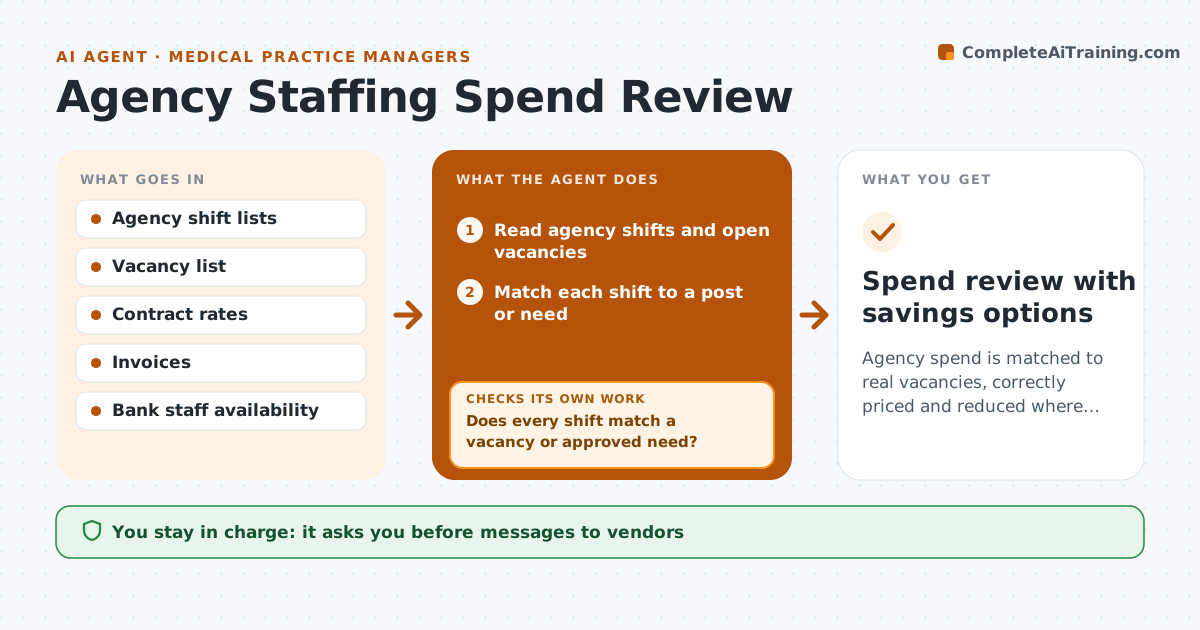
Agency spend is matched to real vacancies, correctly priced and reduced where cheaper options exist
What it does
Agency staffing costs grow, and the link between agency shifts and real vacancies is often missing. This agent matches each agency shift to an unfilled post or a documented need. It checks rates and invoices against the contract and finds extra charges or wrong rates. It also looks for cheaper options, such as internal bank shifts, part-time uplift or a fixed-term hire. Mismatches go back to the vendor as queries. After the reply, it rechecks the invoice. The administrator approves vendor requests. Edge case: an invoice shows a holiday rate for a day that is not a holiday under the contract, so the agent queries it with the contract clause.
How it works
Follow the arrows from top to bottom. The orange dashed arrow is the loop: when a check fails, the agent goes back and tries again.
Read the steps as a list
- Weekly agency data or an invoice arrives
- Read agency shifts and open vacancies
- Match each shift to a post or need
- Does every shift match a vacancy or approved need?If not: list unmatched shifts and ask the unit manager for the reason. Back to step 2.
- Check invoice rates and hours against the contract
- Does every invoice line match the contract?If not: draft a query with the clause and rate and await the vendor reply. Back to step 5.
- Find internal bank or part-time options for repeat gaps
- Administrator approves vendor requestsThe agent waits here for your OK.
- Spend review with savings options
How it decides
A shift is justified when it matches an open post or approved need. An invoice line passes when rate, hours and date match the contract.
- Flag any rate above the contract rate
- Query invoice hours not in the timesheet
- Suggest internal shifts when the same gap repeats 3 times
- Group queries by vendor
Make it yours
Every agent is a starting point. You choose these settings for your own situation.
- Rate tolerance
- Repeat gap rule (default 3)
- Vendors covered
- Report schedule
What keeps you in control
It always asks you first
- Messages to vendors
- Staffing changes
Hard limits
- Never contact vendors without approval
- Never change staffing on its own
It stops when
- Done: invoices cleared and options reviewed
- Stop: contract is not available
Set it up
We guide you through the set-up, step by step
Members get the full set-up guide for this agent. No technical skills needed: you copy, paste and upload.
- One set of instructions to paste into your AI, with the clicks for ChatGPT, Claude, Microsoft 365 Copilot, Gemini and Grok
- The agent then walks you through connecting your own data, one source at a time
- A downloadable copy with the flow chart, the rules and the full guide