AI agent for backend developers
API Integration Build Agent
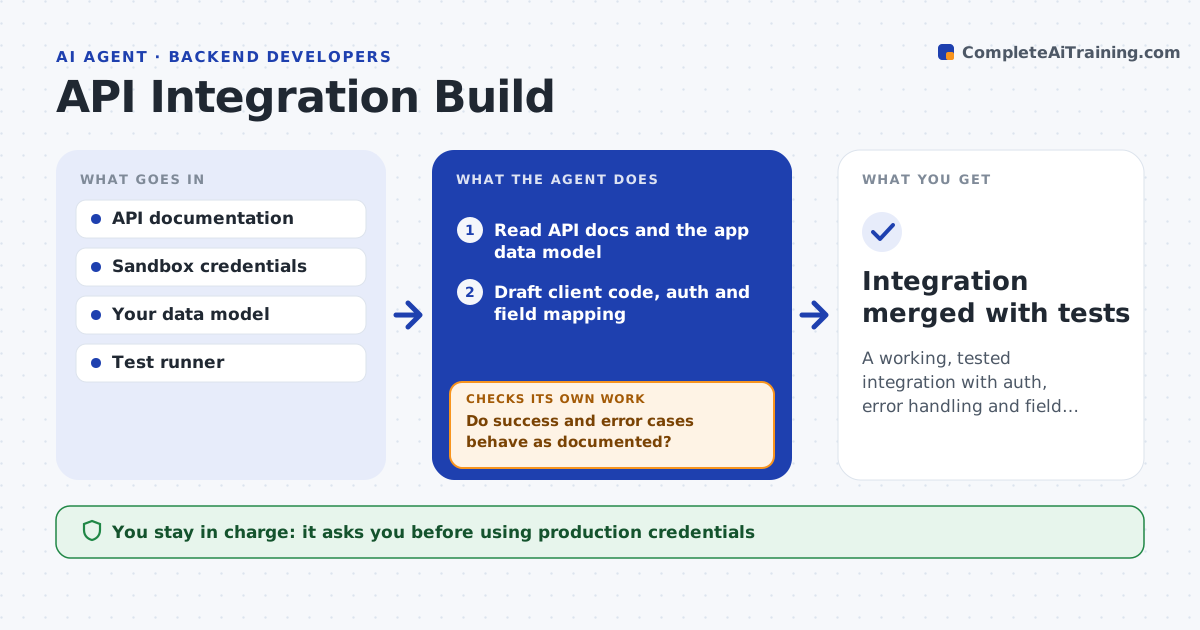
A working, tested integration with auth, error handling and field mapping
What it does
Connecting to an external service means reading docs, handling login, mapping fields and dealing with errors and rate limits, usually by trial and error. This agent reads the API documentation and your data model and drafts the client code with authentication, retries and error handling. It writes tests against the provider's sandbox, runs them and reads the responses. If a call fails or a field does not map, it checks the docs again, adjusts the mapping and reruns until the tests pass. It drafts rate limit and timeout handling from the provider's stated limits. You approve the use of real credentials and going live. Edge case: a field the provider marks optional but your app needs is flagged for a default value or a required-field decision.
How it works
Follow the arrows from top to bottom. The orange dashed arrow is the loop: when a check fails, the agent goes back and tries again.
Read the steps as a list
- Integration task opened
- Read API docs and the app data model
- Draft client code, auth and field mapping
- Run tests against the provider sandbox
- Do success and error cases behave as documented?If not: recheck the docs, fix the mapping or handling, and rerun. Back to step 4.
- Add rate limit and timeout handling
- Developer approves live credentials and releaseThe agent waits here for your OK.
- Integration merged with tests
How it decides
It maps fields by name and type from the docs, and accepts the integration only when sandbox tests pass for success and error cases.
- Retry only on errors the provider marks retryable
- Map fields by documented name and type
- Flag required app fields the provider leaves optional
Make it yours
Every agent is a starting point. You choose these settings for your own situation.
- Retry and timeout defaults
- Which fields are required in your app
- Sandbox versus live gating
- Code style and structure
What keeps you in control
It always asks you first
- Using production credentials
- Releasing the integration
Hard limits
- Never uses production credentials without approval
- Keeps secrets out of code and logs
It stops when
- Done: sandbox tests pass for all cases
- Stop: sandbox is unavailable or docs are missing
Set it up
We guide you through the set-up, step by step
Members get the full set-up guide for this agent. No technical skills needed: you copy, paste and upload.
- One set of instructions to paste into your AI, with the clicks for ChatGPT, Claude, Microsoft 365 Copilot, Gemini and Grok
- The agent then walks you through connecting your own data, one source at a time
- A downloadable copy with the flow chart, the rules and the full guide